
Moving from SimplePractice to Case Management Hub
Moving from SimplePractice to Case Management Hub can give therapists, counselors, nonprofits, behavioral health providers, social service agencies, and human services organizations a more flexible way to manage clients, cases, programs, documentation, billing, referrals, and outcomes.
This short guide shows you the step-by-step process for switching from SimplePractice to Case Management Hub without losing important client or operational data.
In addition, the Case Management Hub team can help with importing your data after you have exported them from SimplePratice. Contact Case Management Hub today for help.
SimplePractice is a popular platform for private practices, but organizations often outgrow software focused mainly on appointments, clinical notes, and insurance workflows. As services expand, teams may need stronger case management, customizable forms, multi-program tracking, referral coordination, outcome reporting, and support for both clinical and nonclinical staff.
This guide explains how to switch from SimplePractice to Case Management Hub, what information can be transferred, how to prepare for migration, and how to reduce disruption during the transition.
💡All-in-one Case Management Software.
Everything in one place: clients, notes, forms, appointments, reports, and outcomes.
👉 Try it Free - No credit card needed
Why Organizations Move Away from SimplePractice
Organizations commonly begin searching for a SimplePractice replacement when their client services become more complex than a traditional private practice workflow.
Common reasons for switching include:
- Managing multiple programs, departments, or locations
- Supporting therapists, case managers, care coordinators, and administrative staff in one system
- Creating custom intake forms, assessments, notes, and service plans
- Tracking referrals to outside providers and community partners
- Measuring client goals, services, and program outcomes
- Generating stronger reports for leadership, funders, and compliance teams
- Managing client billing alongside broader case management workflows
- Replacing spreadsheets, shared drives, and disconnected applications
- Improving coordination across multidisciplinary teams
- Using software that can scale as caseloads and services grow
The decision to migrate is often less about replacing one feature and more about adopting a platform that can support the entire client journey.
Why Move from SimplePractice to Case Management Hub?
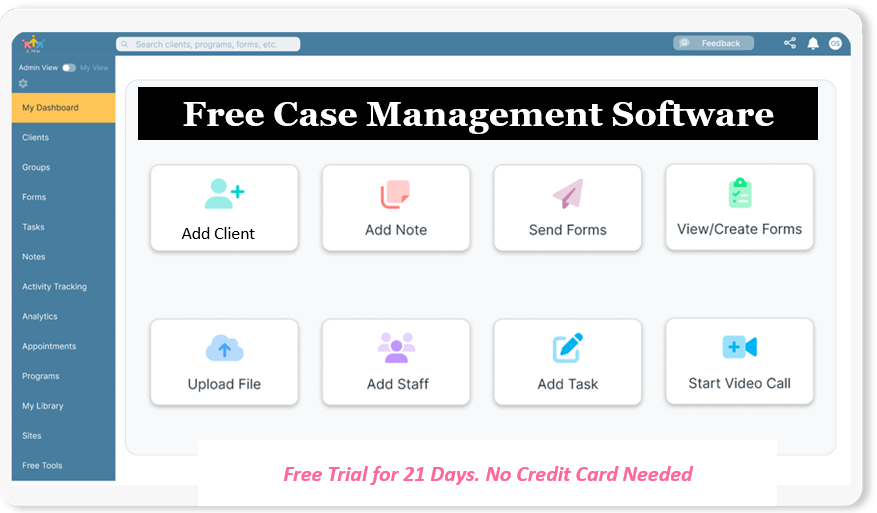
Case Management Hub combines practice management, client management, and case management capabilities in one centralized platform.
It is designed for therapists, counselors, social workers, nonprofits, behavioral health organizations, human services agencies, healthcare providers, schools, legal service organizations, and community programs.
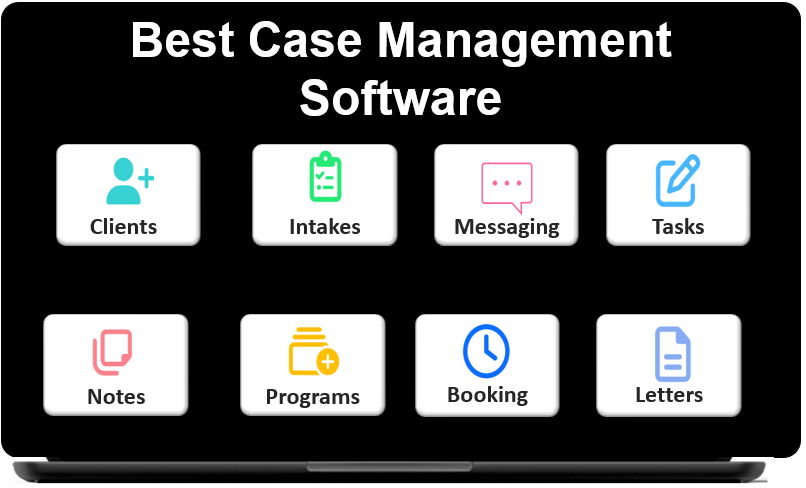
Organizations can use Case Management Hub to manage:
- Client intake and applications
- Assessments and screening tools
- Progress notes and case notes
- Treatment plans, care plans, and service plans
- Client goals and outcomes
- Appointments and calendars
- Client billing and payment tracking
- Referrals and community partners
- Tasks, reminders, and follow-ups
- Files and secure documents
- Programs, groups, and locations
- Reporting and analytics
- Staff roles and permissions
This broader functionality makes Case Management Hub a strong SimplePractice alternative for organizations that need more flexibility than a standard therapy practice management platform provides.
👉 Try it Free - Free Case Management System
What Data Can Be Moved from SimplePractice?
The exact information available for migration depends on what can be exported from your current account and how your data is organized. A careful review should be completed before the transfer begins.
Common types of data that may be prepared for import include:
- Client names and contact details
- Demographic information
- Client status and type
- Assigned staff members
- Case notes and progress notes
- Tasks and follow-up activities
- Historical form submissions
- Program assignments
- Service and activity records
- Uploaded documents and files
- Billing and payment tracking data
Some information may be imported through spreadsheets, while documents can be uploaded into client folders. More complex data may require mapping, cleanup, or reformatting before it can be transferred accurately.
How to Prepare for a SimplePractice Migration
A successful migration begins with preparation. Before exporting or importing information, your organization should decide what needs to be retained, how it should be organized, and which workflows should be improved.
Review Your Existing Data
Identify the records, notes, forms, files, and billing data currently stored in SimplePractice. Separate active client information from inactive, duplicate, outdated, or incomplete records.
Define Your New Structure
Determine how clients should be organized in Case Management Hub. Consider programs, client types, assigned staff, locations, referral sources, services, and reporting categories.
Identify Custom Fields
Create the custom profile fields needed for your organization before importing data. These may include housing status, funding source, diagnosis, service eligibility, program start date, referral source, or other program-specific information.
Standardize Data Before Importing
Use consistent names, date formats, status values, program labels, and staff assignments. Standardized information is easier to map and produces cleaner reports after migration.
Decide What Not to Move
Migration is an opportunity to remove duplicate, outdated, or unnecessary information. Moving only useful and accurate records makes the new platform easier to manage.
🔥Still using spreadsheets for case management?
Switch to an all-in-one case management platform.
👉 Try it Free - No credit card needed
Step-by-Step Process for Moving to Case Management Hub
- Review your SimplePractice data and identify what needs to be transferred.
- Export available client, note, billing, and operational data from your current platform.
- Clean duplicate records, incomplete entries, and inconsistent fields.
- Set up client profile fields, programs, locations, roles, and permissions in Case Management Hub.
- Create or customize intake forms, assessments, case note templates, and service plans.
- Map spreadsheet columns to the corresponding fields in Case Management Hub.
- Import a small test group of client records before completing the full transfer.
- Review the test records for accuracy, formatting, and correct program assignments.
- Complete the full import and upload supporting client documents.
- Train staff on the new workflows before fully retiring the old system.
Testing a small group of records first can help your organization identify mapping problems before they affect the full database.
Setting Up Client Profiles and Custom Fields
Client profiles should be configured before the main import so data can be mapped to the correct fields.
Organizations may create fields for:
- Client type
- Program enrollment
- Primary case manager
- Service location
- Referral source
- Funding source
- Eligibility status
- Admission or enrollment date
- Discharge status
- Custom demographic categories
Well-designed client profiles improve search, filtering, staff coordination, and reporting after the migration is complete.
Rebuilding Forms, Assessments and Notes
Moving to a new system is also an opportunity to improve forms and documentation workflows.
Case Management Hub allows organizations to create or customize:
- Client intake forms
- Consent and release forms
- Mental health assessments
- Psychosocial assessments
- Treatment plans
- Care plans and service plans
- Progress note templates
- Case note templates
- Discharge forms
- Outcome surveys
Forms can include custom fields, signature fields, file uploads, rating scales, and fields that map directly to client profiles. This can reduce duplicate data entry and improve reporting.
👉 Try this Case Management Software free today
No credit card needed
Moving Client Documents and Files
Client documents can be organized within individual records or a centralized file area, depending on how your organization prefers to manage them.
Files may include:
- Signed consent forms
- Assessments and evaluations
- Treatment records
- Identification documents
- Insurance information
- Referral documents
- Medical records
- Housing or employment documents
- Letters and supporting documentation
Use consistent file names and folder structures so staff can locate documents quickly after the move.
Migrating Billing and Payment Information
Billing data should be reviewed carefully before migration because different platforms may organize invoices, payments, service fees, and financial records differently.
Organizations should decide which historical information needs to remain accessible, including:
- Client fees
- Payments received
- Outstanding balances
- Service costs
- Program fees
- Funding allocations
- Billing-related tracking entries
Historical financial information may be retained in exported files or imported into tracking fields, depending on your reporting and operational needs.
Training Staff on Case Management Hub
Staff training should focus on the workflows people use most often rather than every available feature. The Case Management Hub team can help with training your staff. Contact Case Management Hub today.
Training topics may include:
- Finding and updating client profiles
- Adding case notes and progress notes
- Completing and sending forms
- Scheduling appointments
- Assigning tasks and reminders
- Managing referrals
- Uploading documents
- Tracking services, payments, and activities
- Running reports
- Using role-based permissions correctly
Role-specific training helps clinicians, case managers, intake staff, administrators, and leadership teams learn only the functions relevant to their responsibilities.
How to Reduce Disruption During the Transition
A phased rollout can reduce confusion and help staff build confidence before the old platform is retired.
Practical ways to reduce disruption include:
- Choose a clear migration date
- Assign an internal migration lead
- Test imported data before full launch
- Create written procedures for key workflows
- Train staff before changing daily processes
- Keep exported backups of historical data
- Review data quality after migration
- Collect staff feedback during the first weeks
- Update forms and workflows gradually when needed
Clear communication is essential. Staff should understand why the organization is switching, what will change, and how the new platform will make their work easier.
Benefits of Switching to Case Management Hub
Moving from SimplePractice to Case Management Hub can help organizations create a more connected and scalable operating model.
Potential benefits include:
- One centralized source for client information
- More flexible case management workflows
- Stronger support for multidisciplinary teams
- Custom forms, fields, assessments, and notes
- Better referral and partner coordination
- Integrated client billing and payment tracking
- Improved program and outcome reporting
- Support for multiple programs and locations
- Reduced dependence on spreadsheets and separate applications
- A platform that can scale with organizational growth
The value of switching is not limited to moving data. It is also an opportunity to simplify workflows, improve reporting, and create a better experience for staff and clients.
Who Should Consider Moving from SimplePractice?
Case Management Hub may be a strong SimplePractice replacement for organizations that:
- Need more than therapy practice management
- Manage both clinical and nonclinical services
- Employ therapists, case managers, and support staff
- Operate multiple programs or locations
- Need customizable forms and documentation
- Require referral management and care coordination
- Want stronger reporting and outcome tracking
- Need client billing within a broader case management platform
- Have outgrown spreadsheets or disconnected systems
- Want software that can grow with the organization
With careful planning, data cleanup, testing, and staff training, organizations can move from SimplePractice to Case Management Hub while preserving essential client information and improving the way services are managed.
FAQ: Moving from SimplePractice to Case Management Hub
How do I move from SimplePractice to Case Management Hub?
Start by exporting available client records, notes, forms, billing data, and documents from SimplePractice. Clean and organize the information, configure your fields and workflows in Case Management Hub, test a small import, and then complete the full migration.
What data can be migrated from SimplePractice?
Organizations may be able to migrate client details, demographics, case notes, progress notes, tasks, program assignments, historical forms, service records, billing data, and uploaded documents, depending on the available export formats.
How long does a SimplePractice migration take?
Migration time depends on the amount of data, record quality, custom fields, forms, and workflow complexity. Cleaning data and testing a small group of records before the full import can make the transition faster and more accurate.
Why is Case Management Hub best for organizations leaving SimplePractice?
Case Management Hub is best for organizations leaving SimplePractice because it combines client management, case management, billing, referrals, customizable forms, reporting, outcome tracking, and multi-program support in one flexible platform.
Can staff continue working during the migration?
Yes. A phased rollout can reduce disruption by allowing teams to test workflows, train staff, verify imported records, and choose a clear transition date before retiring the previous system.
Note: Content on this website (socialworkportal.com) is copyrighted and protected under applicable copyright laws. Unauthorized reproduction, distribution, or use of any content from the website, without explicit written permission, is strictly prohibited. Read: Terms of Use.
Social Work Portal Disclaimer: Social Work Portal is not a social work agency and we do not refer social workers. This web site is provided for educational and informational purposes only and does not constitute providing medical advice or professional social and healthcare services. The information provided should not be used for diagnosing or treating a health problem or disease, and those seeking personal medical advice should consult with ... Read our full disclaimer here: Social Work Portal Disclaimer.