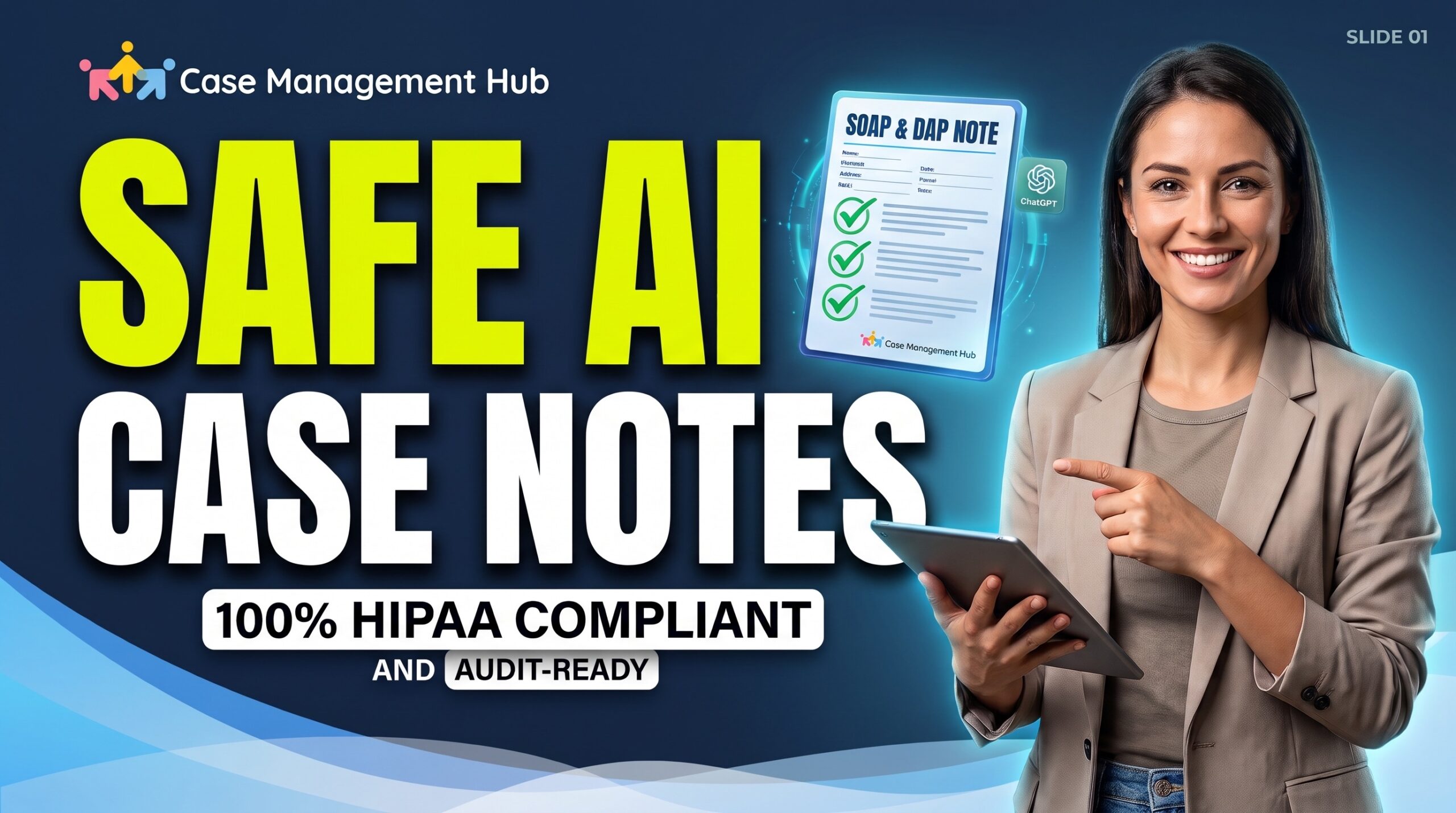
A Practical HIPAA Compliance Guide for Frontline Clinicians
Documentation fatigue remains one of the primary drivers of turnover across human services. According to clinical workflow research published by the American Medical Association and healthcare administration scholars, practitioners spend nearly two hours on electronic documentation and desk work for every single hour of direct client care. When caseloads expand across community nonprofits, hospital discharge units, and private practices, using generative AI to turn rough session jottings into structured clinical prose offers an obvious way to reclaim your evenings.
However, pasting unredacted session notes into a standard consumer AI interface creates immediate legal, ethical, and licensure risks. By learning how federal privacy rules apply to large language models and adopting a strict redaction workflow, BSW, LMSW, and LCSW professionals, care coordinators, and MSW interns can draft audit-ready notes without compromising client confidentiality.
Let’s get started
Watch this video:
or
read the guide below.
What You’ll Learn in This Guide
- Why consumer ChatGPT plans and standard business tiers lack HIPAA Business Associate Agreements
- How NASW ethical standards govern client privacy, informed consent, and AI competence
- A complete redaction checklist covering all 18 HIPAA Safe Harbor identifiers
- A line-by-line before-and-after example of scrubbing a real social work session note
- Copy-and-paste safe ChatGPT prompts for SOAP, DAP, and BIRP progress notes
- How dedicated case management software eliminates manual de-identification bottlenecks
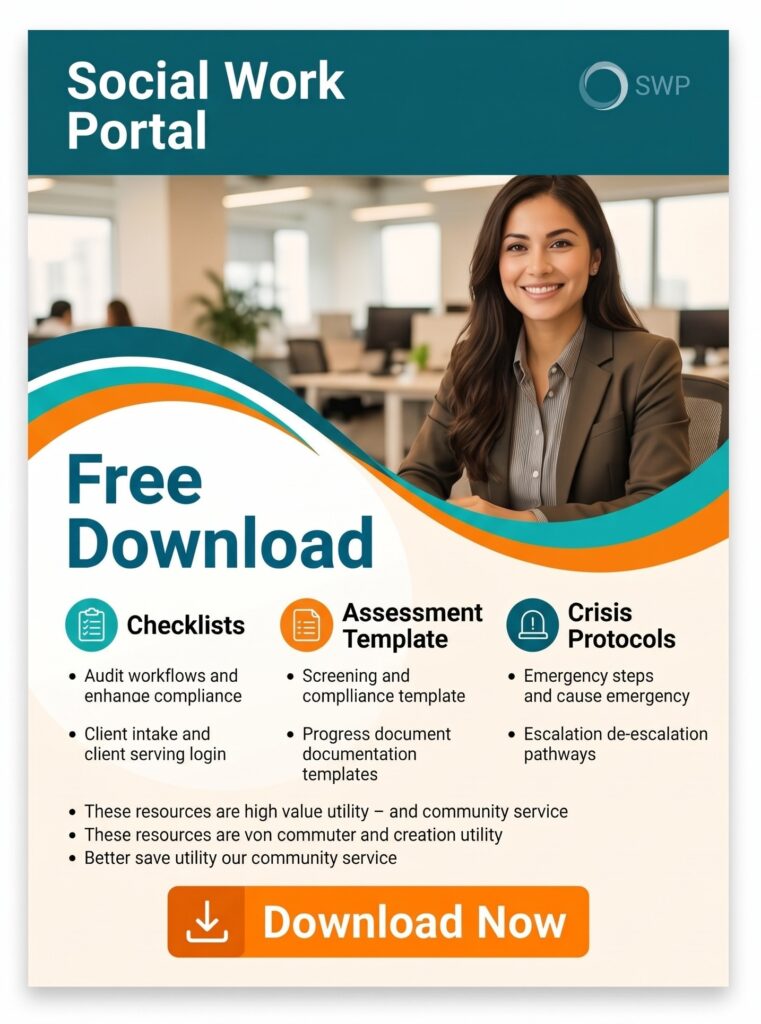
Free Download: HIPAA-Compliant AI Prompt Guide for Social Workers
Download your free HIPAA-Compliant AI Prompt Guide for Social Workers to keep at your desk, scrub all 18 Safe Harbor identifiers before prompting, and convert rough session bullets into audit-ready SOAP, DAP, and BIRP notes in minutes.
Download Your Free Resources Here
💡All-in-one Case Management Software.
Everything in one place: clients, notes, forms, appointments, reports, and outcomes.
👉 Try it Free - No credit card needed
Is ChatGPT HIPAA Compliant for Social Work Notes?
No, consumer versions of ChatGPT (including the Free, Plus, and Pro plans) as well as standard ChatGPT Business accounts are not HIPAA compliant for social work notes. Under the Health Insurance Portability and Accountability Act, any third-party vendor that creates, receives, maintains, or transmits electronic Protected Health Information (ePHI) on behalf of a covered entity must execute a Business Associate Agreement (BAA). OpenAI does not sign a BAA for consumer accounts, which means entering identifiable client information into a standard browser chat constitutes an unauthorized disclosure of protected health data.
Even when healthcare organizations license enterprise tiers eligible for a BAA, such as ChatGPT for Healthcare, ChatGPT Enterprise with a regulated workspace, or the OpenAI API with zero-data-retention endpoints, compliance is not automatic. Per OpenAI’s HIPAA Implementation and Configuration Guide, administrators must explicitly disable non-covered features like persistent Memory and web search agents, and clinicians are strictly prohibited from placing Protected Health Information inside file names, workspace titles, or custom GPT instructions. For the vast majority of practicing social workers using individual accounts, the rule is non-negotiable: never input any Protected Health Information into ChatGPT.
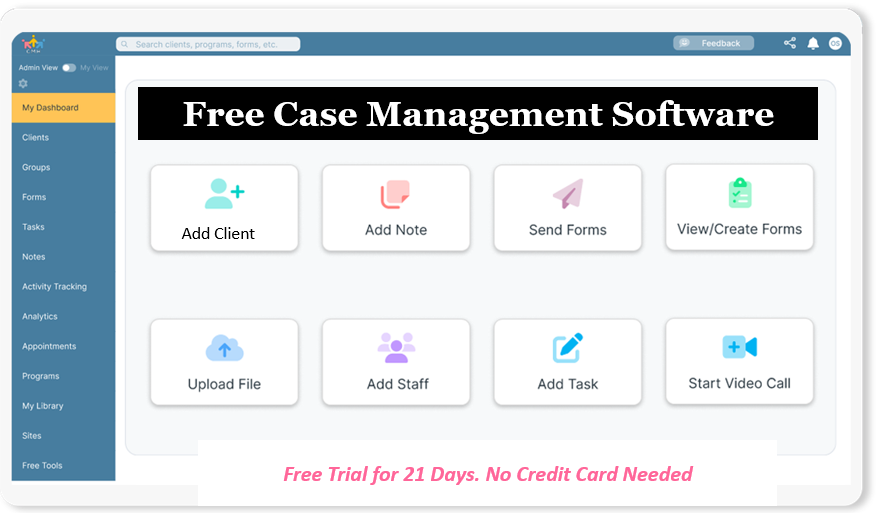
👉 Try it Free - Free Case Management System
What Are the Risks of Putting Client Information into ChatGPT?
When you paste identifiable client details into a non-compliant AI tool, your agency loses institutional control over how that text is stored, logged, or reviewed. Beyond federal civil monetary penalties enforced by the U.S. Department of Health and Human Services Office for Civil Rights, an accidental privacy breach exposes clinicians to state licensing board investigations, malpractice claims, and immediate termination.
The risks of putting client information into ChatGPT go far beyond obvious identifiers like full names or Social Security numbers. Large language models excel at pattern recognition, and combining seemingly minor indirect details (such as a rare medical diagnosis, a specific school district, a foster placement date, and a rural county) can easily re-identify an individual. Per the National Association of Social Workers (NASW) Code of Ethics and the NASW Standards for Technology in Social Work Practice, clinicians have an affirmative duty to protect electronic confidentiality, vet digital tools, and maintain professional competence regarding technological risks.
How Do You De-Identify Client Data for ChatGPT Prompts?
To use consumer ChatGPT safely as a formatting assistant, you must anonymize social work case notes before entering a single word into the prompt window. Under the HIPAA Privacy Rule Safe Harbor method established by the U.S. Department of Health and Human Services, de-identification requires removing 18 specific categories of identifiers for the client, their relatives, employers, and household members.
Use this redaction matrix to scrub your rough session jottings before prompting:
| Safe Harbor Category | Specific Identifiers to Remove | Safe Replacement Strategy |
| Names & Household Links | Full names, initials, nicknames, caregiver names, emergency contacts, and foster parent names. | Replace with generic functional roles: “Client,” “Caregiver,” “Sibling,” or “Caseworker.” |
| Geographic Subdivisions | Street addresses, shelter locations, cities, counties, precincts, and five-digit ZIP codes. | Use broad geographic context only if clinically necessary: “local emergency shelter” or “rural residence.” |
| Exact Dates & Ages Over 89 | Birthdates, intake dates, hospital discharge dates, court dates, and exact ages 90 or older. | Convert to relative intervals: “two weeks post-discharge,” “during today’s weekly check-in,” or “age 90+.” |
| Contact & Legal Numbers | Phone numbers, email addresses, SSNs, medical record numbers, Medicaid IDs, and court or CPS docket numbers. | Omit all reference numbers entirely; insert official IDs only inside your secure EHR after drafting. |
| Biographic & Institutional Links | Specific school names, employers, license plates, IP addresses, or rare community events. | Generalize institutions: “local elementary school,” “part-time retail employer,” or “community clinic.” |
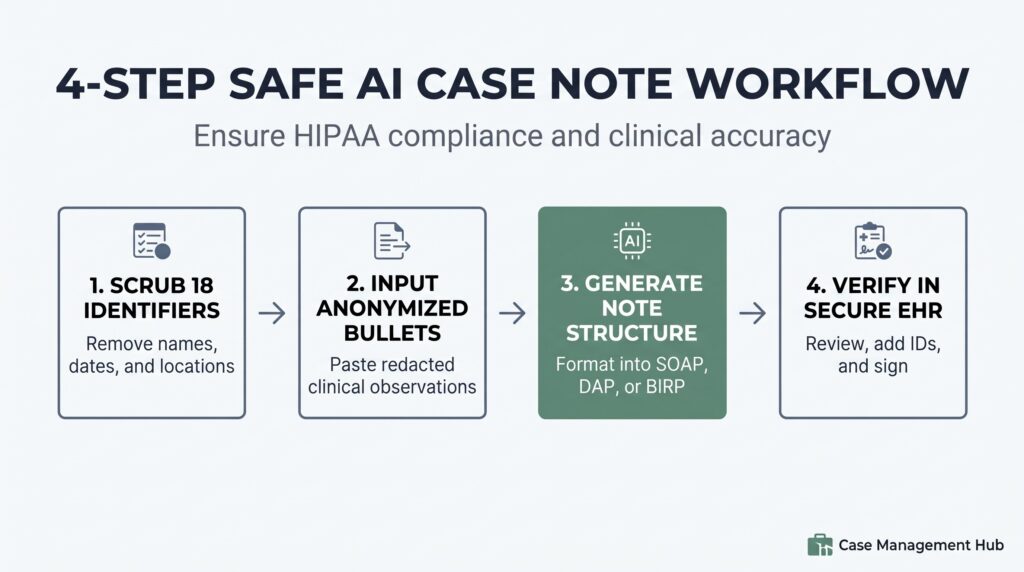
What Does a Safe ChatGPT Case Note Look Like Before and After Redaction?
Seeing how raw field notes translate into safe AI inputs prevents accidental leaks during busy clinic days. Consider this example of a home visit note before and after applying Safe Harbor redaction.
Unsafe Raw Session Jotting (Never Paste Into ChatGPT):
“Met Maria Gomez (DOB 04/12/1988) at 412 Oak St, Apt 3B in Springfield. She was tearful about CPS case #2026-8841 and worried about losing custody of her 6-year-old son Leo before their Nov 18 family court hearing. Maria missed two shifts at Mercy Hospital cafeteria due to panic attacks, rated anxiety 8/10, denied SI/HI. Completed safety plan and called Hope Valley Housing (555-019-4832) for rental assistance.”
Safe De-Identified Input (Ready for ChatGPT):
“Conducted scheduled home visit with adult female client. Client presented with tearful affect and reported acute anxiety (8/10) regarding an active child welfare case and an upcoming family court hearing next week. Client missed two shifts at her food-service job due to panic symptoms, increasing rental arrears risk. Client denied suicidal or homicidal ideation. Clinician and client completed a coping and safety plan and submitted a referral to a local housing stabilization program for rental assistance.”
Notice that every clinical fact needed for insurance auditing and continuity of care remains intact, while every personal, geographic, and legal identifier is completely gone.
All-in-One Case Management Software
Sign Up Today, Free
No credit card needed!
Do You Have a Team? | ||
Our best all-in-one client and top case management software simplifies everything from client intake and assessments to programs, projects, goals tracking, planning, scheduling, documentation, reporting dashboard, and progress tracking.
What Are Safe ChatGPT Prompts for SOAP, DAP, and BIRP Case Notes?
Once your session notes are scrubbed, safe ChatGPT prompts for social work case notes act as structural editors rather than clinical decision-makers. Include explicit negative constraints in every prompt so the model does not invent diagnoses, exaggerate risk levels, or insert subjective judgments.
Safe SOAP Note Prompt Template
“Act as a licensed clinical social worker. Convert the following de-identified session bullet points into a concise, objective SOAP note (Subjective, Objective, Assessment, Plan) that demonstrates medical necessity for insurance auditing. Use neutral, non-judgmental clinical language. Do not invent facts, diagnoses, or risk assessments not explicitly stated below. [Paste scrubbed bullet points]”
Safe DAP Note Prompt Template
“You are a social work case manager documenting a routine support session. Organize these anonymized observations into a structured DAP note (Data, Assessment, Plan). Highlight client strengths, barriers to housing or employment stability, and concrete action items with target timeframes before the next session. Keep sentences brief and measurable. [Paste scrubbed bullet points]”
Safe BIRP Note Prompt Template
“Act as a behavioral health clinician. Format the following de-identified session notes into a professional BIRP note (Behavior, Intervention, Response, Plan). Clearly connect the specific clinical interventions used during the session to the client’s observable response. Do not add clinical assumptions beyond the provided text. [Paste scrubbed bullet points]”
Always verify every sentence before saving the note to your official chart. If the model adds interpretive phrasing you did not observe, delete or rewrite that line so the record reflects your direct clinical assessment.
How Digital Tools Streamline Social Work Case Notes
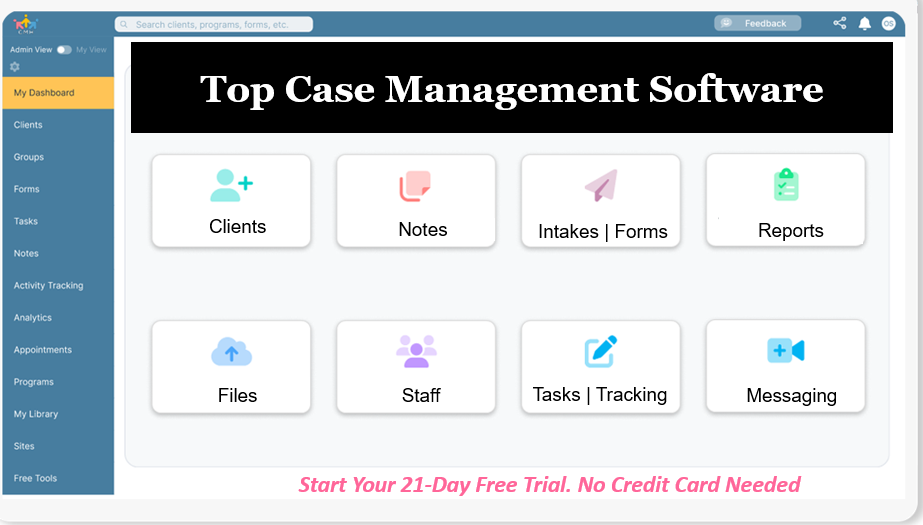
While manual redaction allows you to use consumer AI safely, scrubbing 18 identifiers across eight client sessions every afternoon still creates a time-consuming administrative bottleneck. Dedicated HIPAA-compliant case management software eliminates that friction by unifying client profiles, standardized clinical templates, and compliance controls inside one encrypted workspace.
Instead of redacting notes in a scratchpad, copying them into an external chatbot, and pasting them back into a separate filing system, modern platforms let clinicians document directly inside each client’s record. Custom SOAP, DAP, and basic note templates standardize documentation across your entire team, while granular staff role permissions and per-note visibility controls ensure only authorized caseworkers and clinical supervisors can view sensitive entries. Clinicians can also log session duration, billable services, and program tags inside the exact same note screen, while administrators rely on automated audit logs to verify every record view, edit, and signature.
| Workflow Dimension | Manual / Paper & Consumer AI Workflow | Automated Digital Workflow (HIPAA-Compliant) |
| Privacy & BAA Coverage | High compliance risk; requires manual removal of 18 identifiers before every prompt because consumer tools lack a BAA. | Built-in HIPAA compliance with encrypted storage, signed BAA coverage, and zero external model training. |
| Note Formatting (SOAP/DAP) | Repetitive copy-pasting across rough scratchpads, external AI windows, and disconnected document folders. | Native customizable SOAP, DAP, and basic note templates directly inside each client’s centralized profile. |
| Access Control & Auditing | Minimal oversight; difficult to track who viewed, edited, or exported sensitive case notes across devices. | Granular role-based staff permissions, per-note visibility locks, and timestamped administrator audit logs. |
| Time & Billing Integration | Separate spreadsheets required to tally session durations, program assignments, and grant metrics. | Integrated time tracking, activity tags, and cost entries captured inside the case note workflow. |
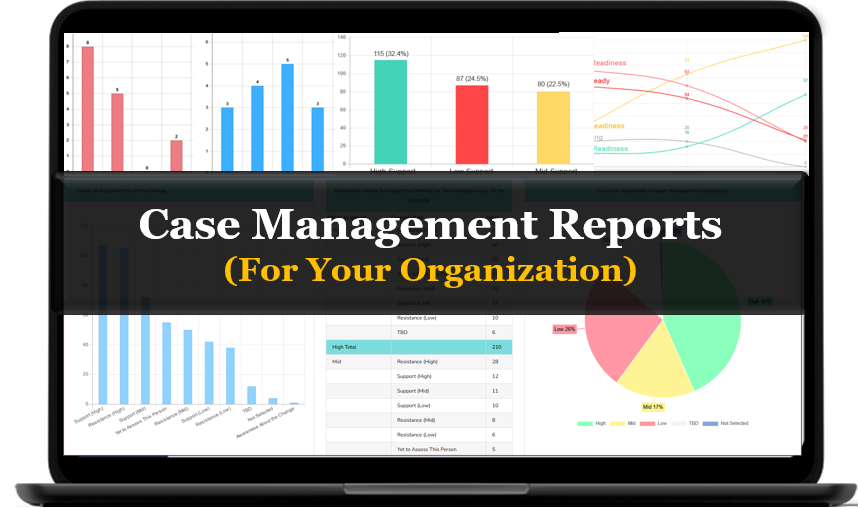
| Supervisor & Grant Reporting | Hours spent manually tallying case notes and client milestones across separate files. | Real-time progress dashboards and one-click exports filtered by program, staff member, or date range. |
People Also Ask
Can social workers use ChatGPT for progress notes?
Yes, social workers can use ChatGPT to organize and polish progress notes, provided every piece of Protected Health Information is removed before prompting. Because consumer ChatGPT accounts do not include a Business Associate Agreement, clinicians must input only de-identified behavioral observations and paste the finished text into a secure clinical record.
How do I anonymize social work case notes for AI?
To anonymize social work case notes safely, strip all 18 HIPAA Safe Harbor identifiers before typing your prompt. Replace client names with generic labels like “Client,” convert specific dates into relative timeframes such as “two weeks ago,” and remove addresses, phone numbers, employers, school names, and court or medical record numbers.
Is ChatGPT Enterprise HIPAA compliant?
OpenAI executes Business Associate Agreements for qualifying healthcare organizations using ChatGPT Enterprise with a regulated workspace, ChatGPT for Healthcare, or the OpenAI API with zero-data-retention configurations. However, individual clinicians using Free, Plus, Pro, or standard ChatGPT Business plans are not covered by a BAA and cannot legally enter client data.
What do NASW ethical guidelines say about AI in social work?
Per NASW ethical standards on confidentiality and technology, social workers must safeguard client privacy across all electronic platforms, obtain informed consent when integrating digital tools, and maintain competence regarding technological limitations. Clinicians remain fully responsible for the clinical accuracy and ethical integrity of any documentation drafted with AI assistance.
What are HIPAA-compliant alternatives to ChatGPT for case notes?
HIPAA-compliant alternatives include purpose-built clinical documentation software and all-in-one case management platforms that sign a Business Associate Agreement and encrypt electronic health records. Platforms like Case Management Hub centralize SOAP and DAP notes, digital intake forms, and client tracking without requiring manual data redaction.
Can AI write clinical assessments without clinician review?
No, AI must never generate final clinical assessments, risk determinations, or treatment plans without direct review and editing by a qualified practitioner. Language models can misinterpret clinical context or introduce subtle factual errors, so a licensed clinician or supervised intern must verify every line before signing the note.
Streamline Clinical Documentation Safely with Case Management Hub
If scrubbing identifiers, switching browser tabs, and reconciling separate spreadsheets is cutting into your direct client hours, it is time to centralize your clinical workflow. Case Management Hub is an all-in-one, HIPAA-compliant platform built specifically for social workers, case managers, and nonprofit organizations that want fast, audit-ready documentation without enterprise complexity.
Inside one encrypted workspace, your team can customize SOAP and DAP note templates, deploy digital intake forms and self-scoring PHQ-9 or GAD-7 assessments, track client goals, and capture billable session time inside the case note itself. Role-based permissions and complete activity audit logs keep every client record secure while giving clinical supervisors instant visibility into caseload trends and grant outcomes.
Start Your 21-Day Free Trial (No Credit Card Required)
Frequently Asked Questions
Does turning off chat history in consumer ChatGPT make it safe for client notes?
No. Disabling chat history or opting out of model training in a consumer account reduces data retention exposure, but it does not make the platform HIPAA compliant. Without an executed Business Associate Agreement and enterprise administrative controls, entering identifiable client data into a consumer AI interface still violates federal privacy law.
Should social workers disclose AI drafting assistance in agency policies and client consent forms?
Yes. Transparent clinical governance protects both clients and practitioners under NASW informed consent standards. Agencies and private practices should update their notice of privacy practices and internal technology policies to specify whether de-identified AI writing tools are permitted, how data is redacted, and how clinicians verify final documentation.
How much time can structured templates and safe AI workflows realistically save each week?
Frontline social workers who standardize their note templates and eliminate duplicate data entry routinely save three to five hours per week on administrative charting. Combining concise session bullet points with built-in digital note templates prevents the end-of-week documentation backlog that drives clinician burnout.
Can MSW interns use ChatGPT to practice writing SOAP and DAP notes?
Yes, MSW candidates and interns can use ChatGPT as a learning aid by practicing with fictional clinical vignettes or thoroughly anonymized training scenarios approved by their field instructor. Interns must never input real agency client details, supervisor names, or field placement identifiers into public AI tools.
What happens if a clinician accidentally pastes a client's name into ChatGPT?
If an accidental disclosure occurs, stop using the session immediately, delete the chat thread, and notify your agency's HIPAA Privacy Officer or clinical supervisor right away. Your organization will assess the incident under the HIPAA Breach Notification Rule to determine required risk mitigation, documentation, and reporting steps.
How does Case Management Hub protect client case notes compared to general AI tools?
Case Management Hub operates inside a dedicated, HIPAA-compliant architecture featuring encrypted data storage, role-based staff access controls, customizable per-note viewing permissions, and detailed administrator audit logs. Instead of stripping identifiers to paste text into an external chatbot, staff document directly inside each client's secure profile using standardized SOAP and DAP templates.
👉 Try it free today - No credit card needed
Note: Content on this website (socialworkportal.com) is copyrighted and protected under applicable copyright laws. Unauthorized reproduction, distribution, or use of any content from the website, without explicit written permission, is strictly prohibited. Read: Terms of Use.
Social Work Portal Disclaimer: Social Work Portal is not a social work agency and we do not refer social workers. This web site is provided for educational and informational purposes only and does not constitute providing medical advice or professional social and healthcare services. The information provided should not be used for diagnosing or treating a health problem or disease, and those seeking personal medical advice should consult with ... Read our full disclaimer here: Social Work Portal Disclaimer.