Reclaim Your Clinical Hours: A Practitioner’s Guide to Cutting Paperwork Burnout Without Sacrificing Care
As a dedicated professional in the helping professions, your primary focus is supporting clients through complex life transitions, mental health struggles, or socioeconomic barriers. However, the reality of modern human services involves an overwhelming volume of paperwork. For frontline case managers, clinical therapists, and hospital social workers, writing a comprehensive assessment is crucial for establishing care, yet it frequently consumes hours of valuable time that could be spent in direct practice.
Reducing paperwork burnout in social work is essential to sustaining a fulfilling career and preventing compassion fatigue. Fortunately, mastering the balance between speed and thoroughness is completely achievable. By optimizing your clinical workflows, leveraging modern technical solutions, and utilizing structured templates, you can dramatically cut down your documentation time while elevating the quality of your client care.
Let’s get started
Watch this video:
or
read the guide below.
What You Will Learn in This Article
- How to structure an efficient case management documentation process
- Strategies for utilizing a psychosocial assessment template for social workers
- Methods to speed up social work intakes without losing clinical depth
- A comparison of manual documentation versus automated tools
- Key decision-making factors when selecting an all-in-one case management platform
- Crucial user considerations for balancing speed with strict HIPAA compliance
Everything in one place: clients, notes, forms, appointments, reports, and outcomes. 👉 Try it Free - No credit card needed💡All-in-one Case Management Software.
Why Is Streamlining Clinical Documentation Vital for Behavioral Health Professionals?
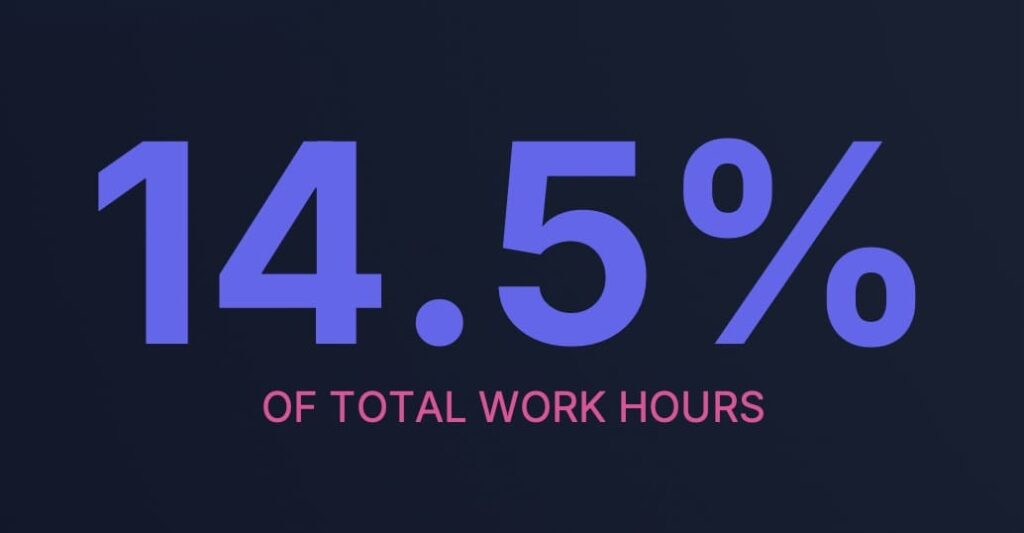
The administrative burden on mental and behavioral health professionals has reached a critical tipping point. A national study published in Health Services Research found that mental health clinicians spend an average of 14.5% of their total working hours solely on administrative documentation. For a practitioner working a standard 40-hour week, this translates to nearly six hours of typing notes, organizing files, and tracking data instead of engaging in direct client intervention.
When documentation takes up too much space in your day, clinical care suffers, and burnout skyrocketing. Streamlining clinical documentation allows you to reclaim those lost hours. Efficient case management documentation ensures that your client files remain audit-ready, treatment plans stay actionable, and your cognitive energy is preserved for the actual therapeutic relationship.
How Can You Speed Up Social Work Intakes Effectively?
The foundation of a rapid, comprehensive assessment begins before the client even sits down in your office. Traditional intake models involve handing a clip-board to a client in the waiting room, followed by the clinician manually transcribing handwritten notes into an electronic system later. This double-entry method is an immense waste of time.
To accelerate this stage, transition to digital intake forms and appointment scheduling.
Allowing clients to complete behavioral health intake forms and notes via a secure portal prior to their arrival ensures that you review their history ahead of time. During the interview, you can focus purely on clarifying details, observing clinical presentation, and filling in the gaps, rather than scrambling to type out basic biographical details from scratch.
👉 Try it Free - Free Case Management System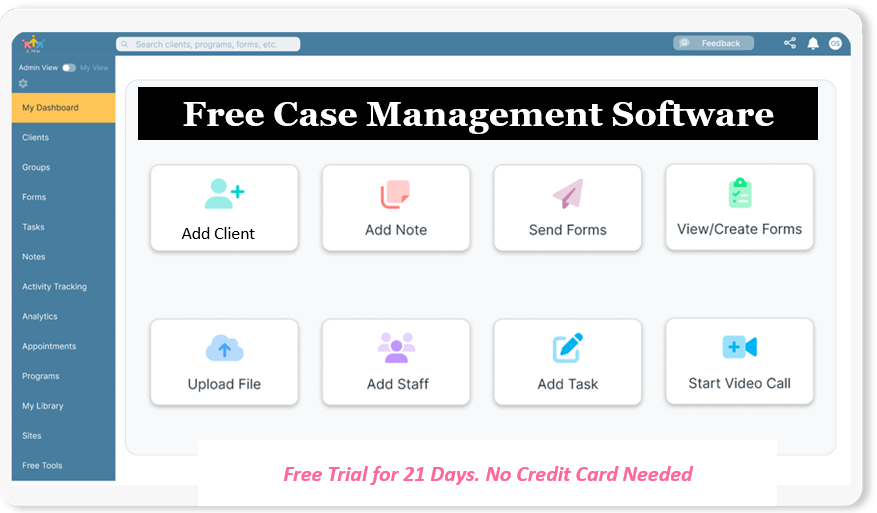
How Does a Psychosocial Assessment Template for Social Workers Save Time?
Writing an assessment from a completely blank screen is a primary driver of documentation delays. Without a visual map, clinicians often over-write, repeating information across different sections or including irrelevant details that do not impact the clinical formulation.
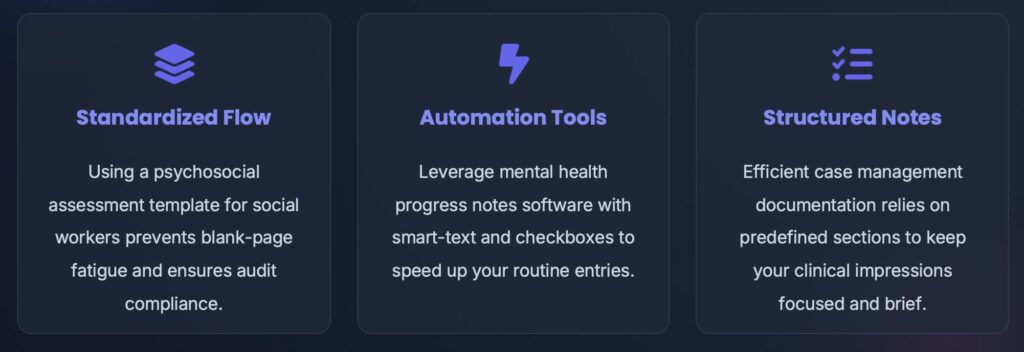
Utilizing a standardized psychosocial assessment template for social workers (much like the one that can be found on Case Management Hub) keeps your writing concise and structured. A high-quality template divides the assessment into clear, digestible categories:
- Chief complaint and presenting problem
- History of the current issue and past psychiatric history
- Medical history and current medications
- Family structure, social support systems, and environmental stressors
- Clinical impressions, mental status exam, and diagnostic formulation
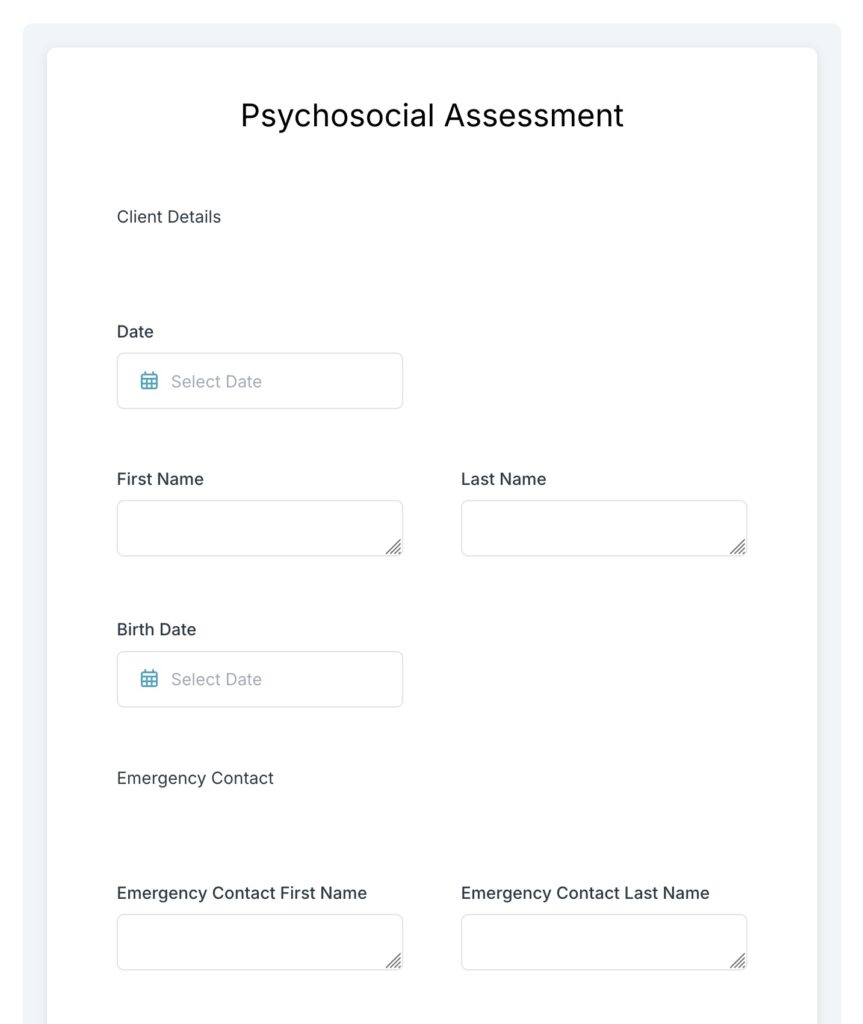
By following a standardized layout, you know exactly what information to look for, where to place it, and when a section is complete, effectively eliminating writer’s block.
What Searcher and User Considerations Exist When Modifying Your Workflow?
When looking for ways on how to write psychosocial assessments faster, professionals must balance speed with ethical and legal responsibilities. You cannot simply cut corners or omit critical information to save time.
Searchers looking for comprehensive psychosocial assessment examples often worry about compliance. Your documentation must still hold up in a court of law, satisfy insurance auditors, and accurately reflect the client’s clinical reality. Therefore, any time-saving strategy you implement must rely on systemic efficiency rather than reducing the quality of your clinical observations. The goal is to write smarter and more concisely, not to write less of what matters.
Do You Have a Team? Our best all-in-one client and top case management software simplifies everything from client intake and assessments to programs, projects, goals tracking, planning, scheduling, documentation, reporting dashboard, and progress tracking.All-in-One Case Management Software
Sign Up Today, Free
No credit card needed!
How Do Manual Methods Compare to Digital Documentation Platforms?
Many agencies and private practices still rely on disparate tools, using one program for word processing, another for email, and a physical filing cabinet for paper charts.
| Feature / Capability | Manual & Fragmented Methods | All-in-One Case Management Platform |
| Data Entry | Double entry from paper to digital files | Direct input via digital intake forms |
| Templates | Static Word documents or physical printouts | Dynamic, customizable clinical templates |
| Collaboration | Fragmented phone calls and insecure emails | HIPAA-compliant secure messaging for therapists |
| Progress Tracking | Flipping through past paper notes to spot trends | Integrated client goals and progress tracking |
| Storage Security | Locked filing cabinets or unsecured hard drives | Secure client file and data storage |
| Admin Integration | Disconnected billing, scheduling, and notes | Automated scheduling and billing for counselors |
As the comparison shows, moving away from fragmented systems significantly decreases the time spent on non-clinical tasks, giving time-saving tips for clinical therapists real, practical utility.
What Are the Key Decision-Making Factors for Choosing a Technical Solution?
When evaluating how to optimize your practice, choosing the right tool requires analyzing several critical decision-making factors. Social work students, interns, and newly licensed professionals frequently enter fields with limited budgets, while non-profit program directors and social service supervisors must focus on scalability and agency compliance.
First, look at usability. If a system has a steep learning curve, it will initially slow down your documentation instead of speeding it up. Second, prioritize automation. Essential tools for newly licensed professionals should include automated scheduling and billing, which reduces administrative overhead. Finally, for organizations managing tight budgets, hospital social work timekeeping and cost tracking features are vital to justifying program funding and tracking staff utilization accurately.

People Also Ask
What are the main components of a psychosocial assessment?
A psychosocial assessment evaluates a client’s biological, psychological, and social well-being. The main components include the presenting problem, psychiatric and medical history, family dynamics, substance use history, environmental and socioeconomic stressors, spiritual beliefs, developmental history, and a mental status examination, concluding with a clinical summary and treatment recommendations.
How long should it take to write a psychosocial assessment?
On average, a traditional manual psychosocial assessment can take anywhere from 60 to 90 minutes to write. However, by using digital intake forms, pre-built clinical templates, and structured documentation software, clinicians can reduce this time to 30 minutes or less without sacrificing quality.
Can templates be used for HIPAA-compliant documentation?
Yes, clinical templates can be fully HIPAA-compliant as long as they are housed within a secure, encrypted platform that protects protected health information (PHI). Organizations must ensure they have a signed Business Associate Agreement (BAA) with the software provider to maintain legal compliance.
Empowering Your Practice with the Right Tools
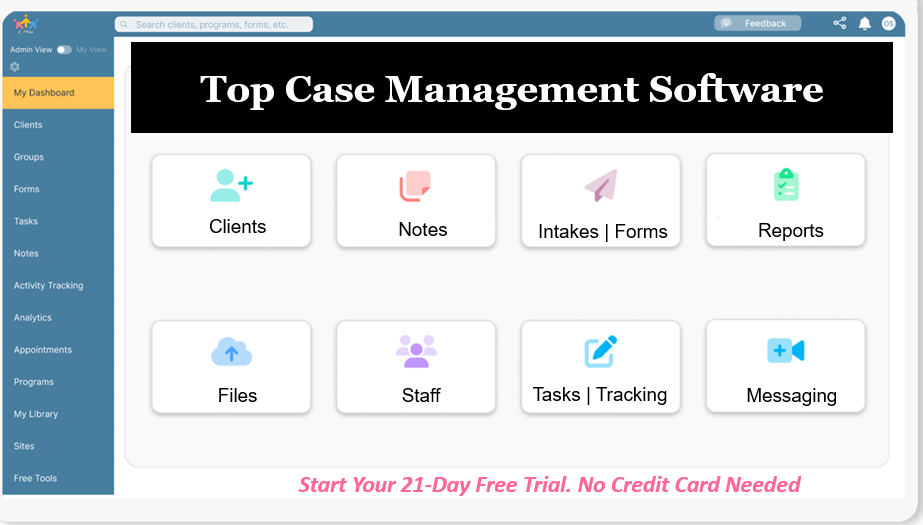
Managing a demanding caseload requires tools designed specifically for the unique workflow of social services. Our comprehensive case management software acts as a centralized hub, allowing you to seamlessly manage clients, appointments, scheduling, intakes, forms, and secure messaging. By integrating your clinical notes directly with data storage and file storage, you eliminate double data entry and keep your practice fully organized.
See how easy it is to add a new client and send them one of our form templates.
Step 1
Navigate to the Clients module from the sidebar.
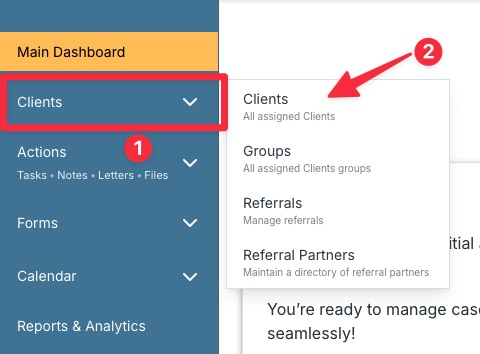
Tip: If you have chosen a different audience type when creating your account, that type will be shown here instead of “Client”.
Step 2
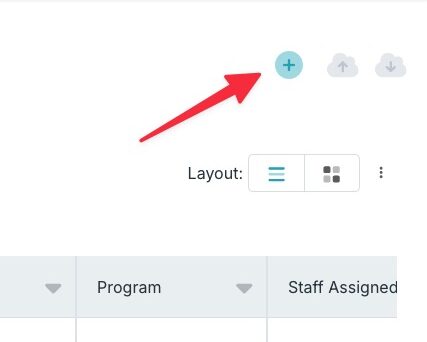
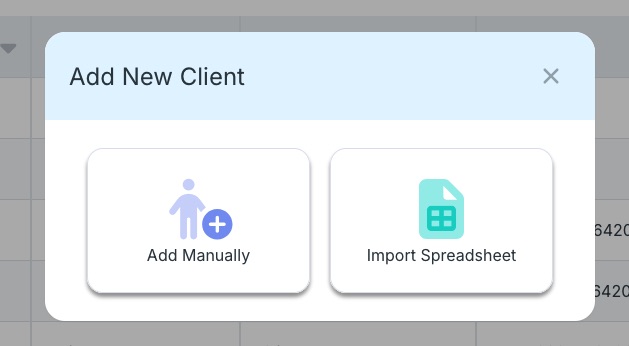
Click the plus button and choose whether you’d like to add one client manually, or add several clients through the import spreadsheet.
Step 3
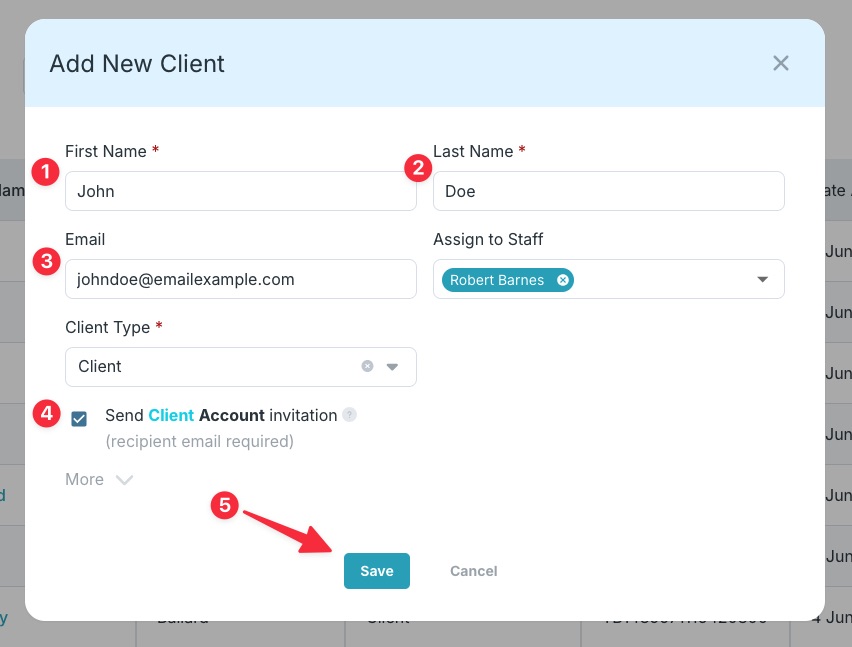
Enter the client’s first and last name and email address, then place a checkmark in Send Client Account invitation. Next, click Save.
Tip: There are several other settings on this popup such which staff will this client be assigned to and the client type. Under More you can add a phone number, customize the Client ID, assign a program or an incoming referral source.
Step 4
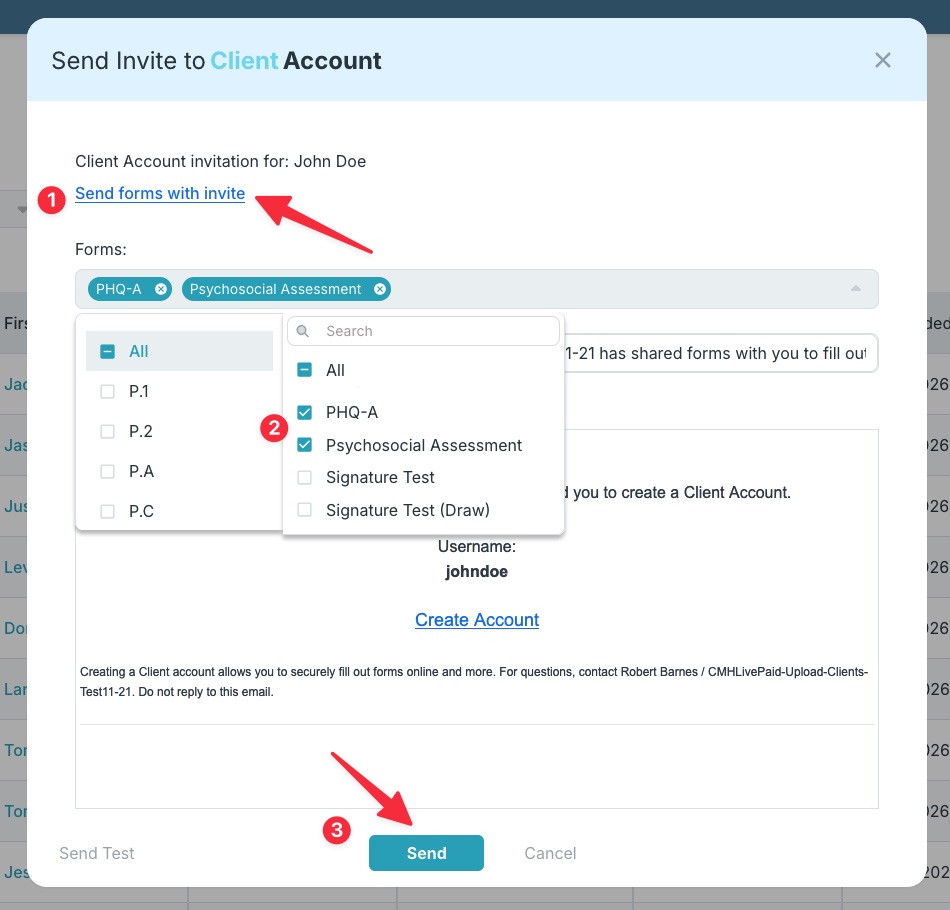
Click Send forms with invite, then select the forms you want to send to the client. Once done, click Send.
Step 5
Head to the Forms module to track forms status (Pending, Completed).
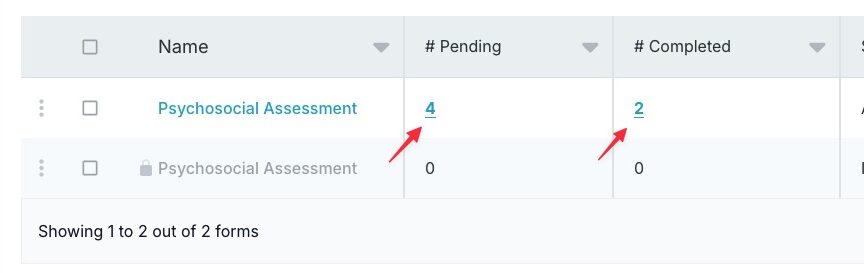
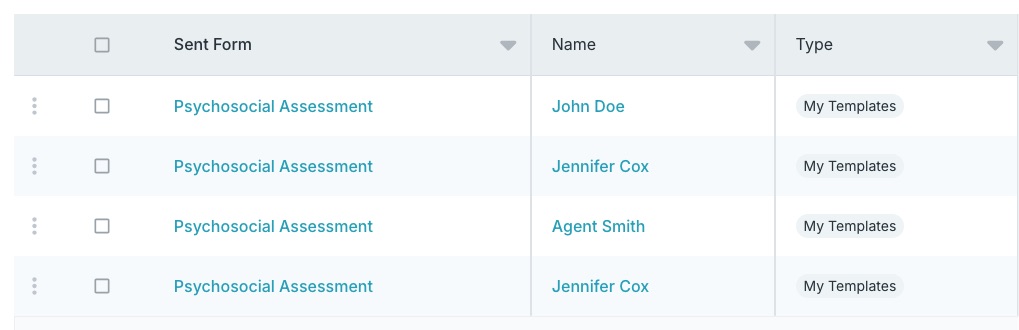
Tip: Click the count number in the Pending or Completed columns to see a full list of those specific clients.
Ready to cut your administrative time in half? Discover how Case Management Hub can transform your clinical workflows, allowing you to focus on what matters most, your clients. Start your free 21-day trial today, with absolutely no credit card required.
Frequently asked psychosocial assessment questions
A dedicated progress notes software saves time by providing pre-formatted layouts, checkboxes for common clinical interventions, and smart text options that populate repetitive client data automatically, eliminating the need to type out routine details for every session.
Using separate apps forces you to constantly copy and paste information between your calendar, billing program, and clinical notes. An integrated platform connects all these features, meaning an appointment booking automatically sets up the intake form, tracks the timekeeping, and prepares the invoice.
Modern digital intake forms are designed with intuitive user interfaces, clear fonts, and mobile accessibility, allowing clients to complete them easily on smartphones, tablets, or computers from the comfort of their homes before an appointment.
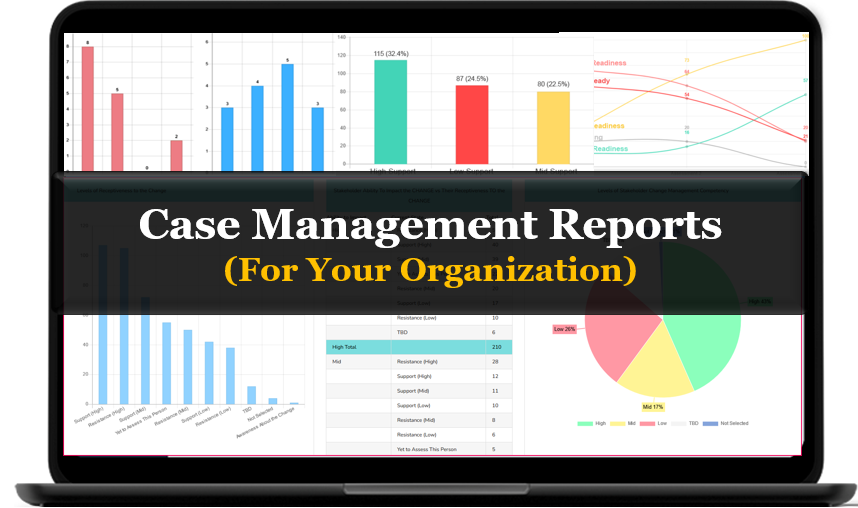
Supervisors benefit from centralized reporting, billing, and cost tracking features that allow them to monitor staff workloads, review clinician documentation for quality assurance, and easily compile data required for grant reporting and state audits.
Absolutely. Using built-in templates helps students and interns understand the necessary clinical structure required for professional documentation, ensuring they gather all essential biological, psychological, and social factors during client interviews.
Yes, built-in secure messaging platforms utilize point-to-point encryption and user authentication that meet strict healthcare privacy standards, making it much safer than standard text messaging or traditional email for discussing sensitive client updates.How can a mental health progress notes software help reduce my daily charting time?
What makes an all-in-one case management platform better than using separate apps?
Are digital intake forms accessible and easy for elderly or tech-averse clients to use?
How do non-profit program directors and social service supervisors benefit from tracking software?
Can social work students and interns use these tools to learn how to document correctly?
Is secure messaging for therapists safe enough to discuss sensitive client cases?
👉 Try it free today - No credit card needed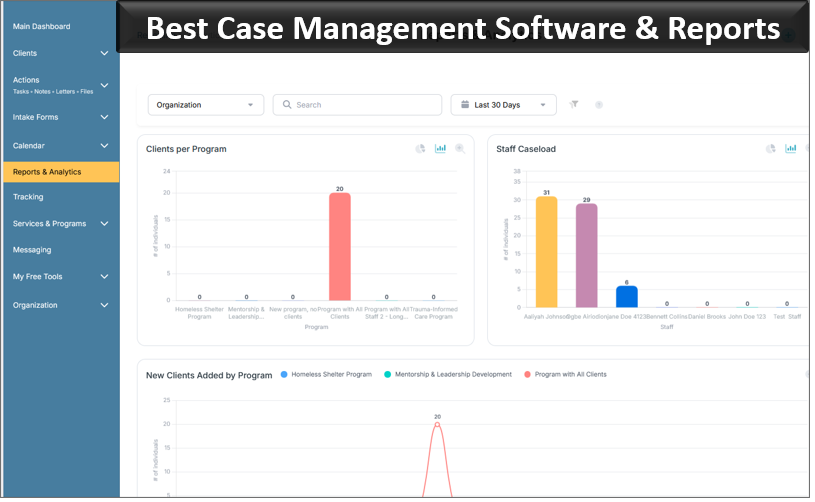
Note: Content on this website (socialworkportal.com) is copyrighted and protected under applicable copyright laws. Unauthorized reproduction, distribution, or use of any content from the website, without explicit written permission, is strictly prohibited. Read: Terms of Use.
Social Work Portal Disclaimer: Social Work Portal is not a social work agency and we do not refer social workers. This web site is provided for educational and informational purposes only and does not constitute providing medical advice or professional social and healthcare services. The information provided should not be used for diagnosing or treating a health problem or disease, and those seeking personal medical advice should consult with ... Read our full disclaimer here: Social Work Portal Disclaimer.