A Tactical Digital Intake Playbook for Clinic Leaders
Paper depression questionnaires create hidden operational drag across outpatient behavioral health clinics, primary care practices, and telehealth programs. Every printed PHQ-9 handed out on a clipboard triggers a chain of manual tasks: front-desk staff verify illegible handwriting, medical assistants tally 0-to-3 columns by hand, clinicians burn session minutes transcribing scores into progress notes, and billing teams hunt down missing documentation required to substantiate CPT code 96127 claims. In virtual care settings, emailing static PDF attachments routinely stalls intake when patients lack printers, scanners, or desktop software.
Transitioning to a paperless depression screening workflow for clinics removes these bottlenecks while tightening clinical safety and compliance. By deploying mobile-responsive forms, automated scoring rules, and two-way record syncing, outpatient clinic managers and telehealth intake coordinators can capture verified baseline scores before the encounter begins, flag suicidal ideation in real time, and track longitudinal symptom trends without touching a spreadsheet.
Let’s get started
Watch this video:
or
read the guide below.
What You’ll Learn in This Guide
- How paper forms create scoring errors, delayed Item 9 crisis interventions, and lost reimbursement revenue.
- How to administer the PHQ-9 digitally using waiting-room QR codes, reception tablets, and pre-visit telehealth links.
- How to structure an electronic PHQ-2 and PHQ-9 screening protocol that cuts intake time for low-risk patients by over 70 percent.
- Step-by-step architecture for automating risk alerts, profile syncing, and longitudinal outcome charts inside modern software.
- The four technical safeguards required to keep digital mental health intake form software fully HIPAA compliant.
Free Printable Guide: Digital Depression Screening Triage & Implementation Matrix
Download our free Digital Depression Screening Triage & Implementation Matrix to access automated scoring thresholds, immediate Item 9 crisis escalation protocols, and CPT 96127 billing compliance standards in seconds.
Download Your Free Resources Here
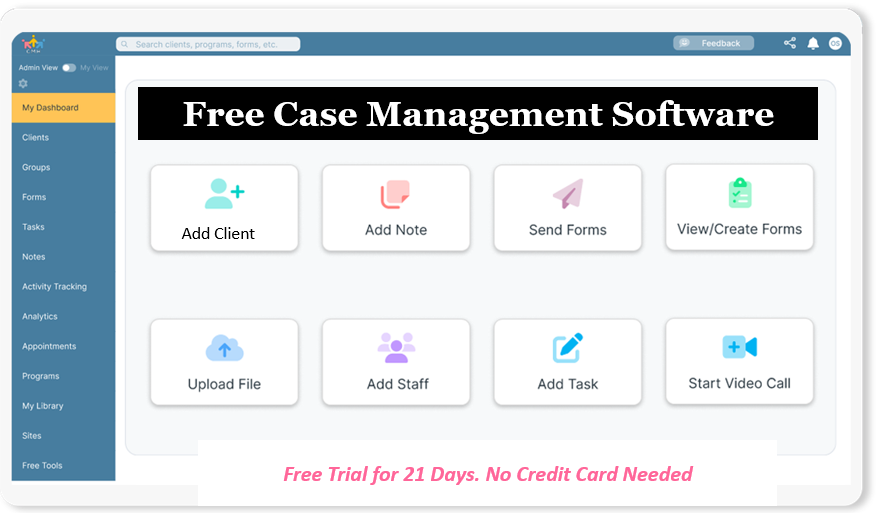
💡All-in-one Case Management Software.
Everything in one place: clients, notes, forms, appointments, reports, and outcomes.
👉 Try it Free - No credit card needed
Why Are Paper Depression Questionnaires Failing Modern Clinics?
Universal depression screening has become standard clinical practice across primary care and behavioral health, yet relying on physical paper turns a two-minute assessment into an administrative liability. According to the Centers for Disease Control and Prevention, roughly 1 in 10 Americans aged 12 and older experience depression in a given two-week period, and the U.S. Preventive Services Task Force recommends universal depression screening for the entire adult population, including pregnant and postpartum patients. When clinics attempt to screen every patient at scale using clipboards, four predictable failures emerge.
First, manual score calculation introduces routine arithmetic errors. During peak check-in windows, rushed medical assistants or intake coordinators frequently misadd column totals on the nine-item PHQ-9, misclassifying a patient scoring 15 (moderately severe depression) as 13 (moderate depression). That two-point error can alter medication decisions, therapy frequency, and medical necessity documentation.
Second, paper forms create dangerous blind spots around acute self-harm risk. On the PHQ-9, Item 9 specifically asks how often a patient has been bothered by thoughts that they would be better off dead or of hurting themselves. When a patient checks “More than half the days” on a paper sheet in the waiting room, that warning sits unmonitored on a clipboard until a provider reviews the packet 20 minutes later, leaving zero buffer for immediate crisis triage.
Third, paper workflows fracture longitudinal outcome tracking and payer audits. Behavioral health EHR specialists and clinical directors need clean historical trends to measure treatment efficacy and satisfy value-based care reporting. Pulling six months of scanned PDF attachments to manually plot symptom progression wastes clinical hours. Worse, if a scanned sheet goes missing or lacks a calculated total score, clinics risk clawbacks on brief emotional and behavioral assessment claims billed under CPT 96127. Replacing paper intake forms in behavioral health solves these vulnerabilities by converting patient responses into structured, timestamped clinical data at the point of submission.
How Do You Administer the PHQ-9 Digitally at Check-In and via Telehealth?
Learning how to administer the PHQ-9 digitally requires aligning patient delivery channels with how individuals actually enter your clinic. High-performing practices eliminate login friction while maintaining strict identity matching across both in-person and virtual visits.
For brick-and-mortar clinics, streamlining behavioral health screening at check-in relies on a dual-path model: Bring Your Own Device (BYOD) QR codes paired with sanitized clinic tablets. Practice administrators post laminated QR codes at the reception desk and inside exam rooms that launch a mobile-optimized self-administered digital depression questionnaire for patients. Patients scan the code with their smartphone camera, complete the questions privately in under two minutes, and submit without downloading an app or remembering a portal password. For older adults or patients without smartphones, receptionists hand over a locked-down clinic tablet or open the digital form directly inside the chart to complete verbally during intake.
For virtual visits, telehealth depression screening best practices center on pre-visit automation. Telehealth intake coordinators embed a direct, encrypted assessment link inside automated appointment confirmation emails and SMS reminders sent 24 to 48 hours prior to the session. If a patient arrives in the virtual waiting room without completing the screen, the clinician drops the direct form link into the telehealth chat window so the patient completes it live during the opening two minutes of the appointment. Building a consistent remote depression assessment protocol for telehealth ensures providers never waste clinical time reading questionnaire prompts aloud while trying to type responses simultaneously.
To prevent patient survey fatigue in high-volume primary care settings, primary care practice administrators deploy an electronic PHQ-2 and PHQ-9 screening protocol. Every patient answers the initial two-question PHQ-2 screen regarding anhedonia and depressed mood. If their combined score is 2 or lower, the screening concludes immediately in 30 seconds. If their score hits 3 or higher, conditional logic automatically expands the remaining seven questions of the PHQ-9. Mastering how to automate depression screening in primary care with stepped branching logic protects appointment schedules while maintaining 100 percent screening compliance.
👉 Try it Free - Free Case Management System
How Digital Tools Streamline Depression Screening
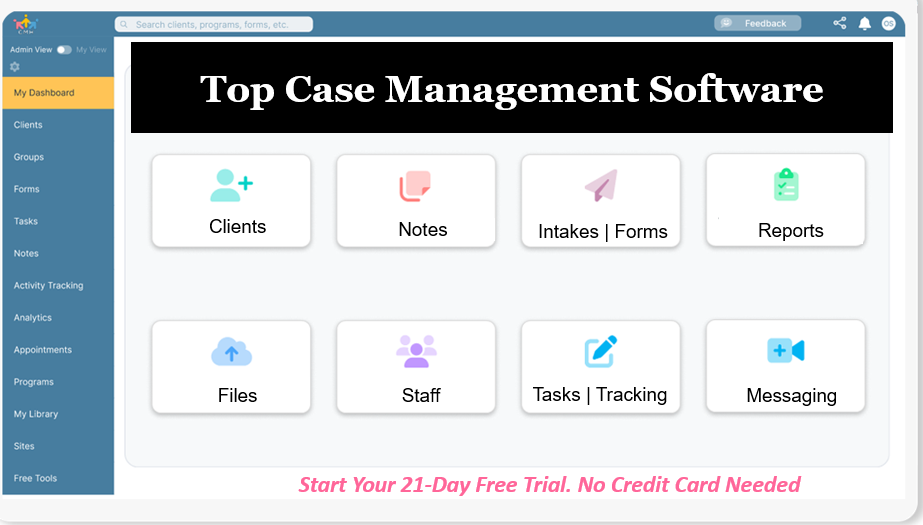
Moving from clipboards to an automated patient intake and scoring platform eliminates manual data re-entry across your entire care team. Rather than stitching together generic web forms with manual spreadsheet trackers, outpatient clinic managers use dedicated case management software with built-in intake forms to connect patient submission, risk triage, and longitudinal reporting in one continuous pipeline.
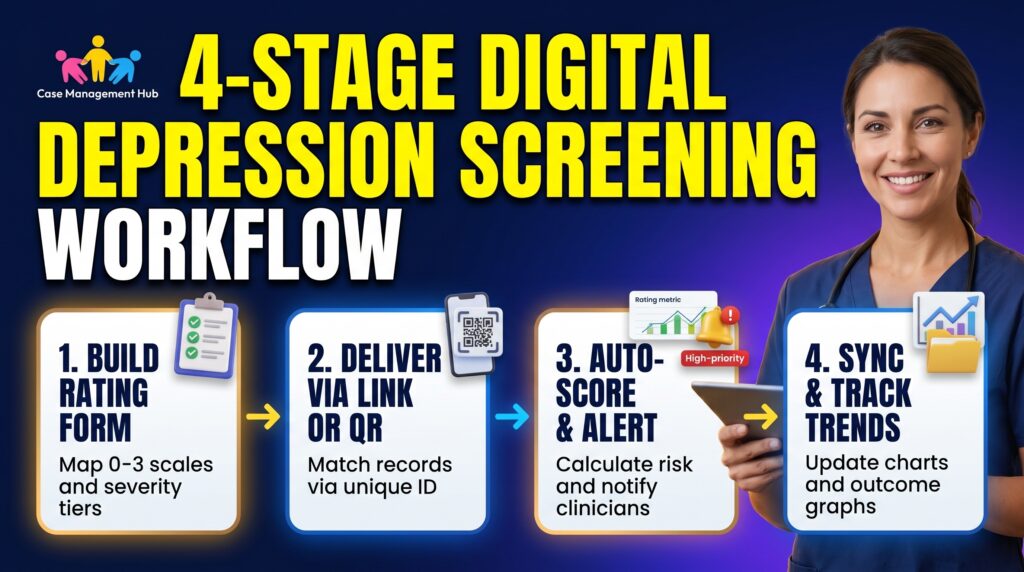
Here is how a centralized digital workflow operates from setup to outcome reporting:
- Template Configuration and Rating Scale Mapping: Clinical leads build or customize digital client assessment templates for social workers and medical staff using a drag-and-drop form builder. Standardized rating fields map each response choice (“Not at all” = 0, “Several days” = 1, “More than half the days” = 2, “Nearly every day” = 3) and categorize the form under dedicated assessment libraries so staff can locate PHQ-2, PHQ-9, or Geriatric Depression Scale tools instantly.
- Duplicate-Safe Distribution via Unique Identifiers: Clinics distribute assessments through a secure client portal or via an encrypted public web link and QR code. Configuring an email address or mobile phone number as a unique identifier instructs the system to match incoming submissions directly to the returning patient’s existing profile, preventing duplicate charts while automatically creating records and assigning intake staff for brand-new referrals.
- Instant Score Calculation and High-Risk Staff Alerts: The moment a patient submits their screen, automated PHQ-9 scoring software totals the numeric values and appends the standardized clinical severity interpretation (minimal, mild, moderate, moderately severe, or severe) alongside recommended clinical next steps. When a patient’s total score crosses a severe threshold or flags a high-risk response, the platform triggers an immediate automated email notification to the assigned clinician or triage supervisor so safety planning starts before the patient leaves the building.
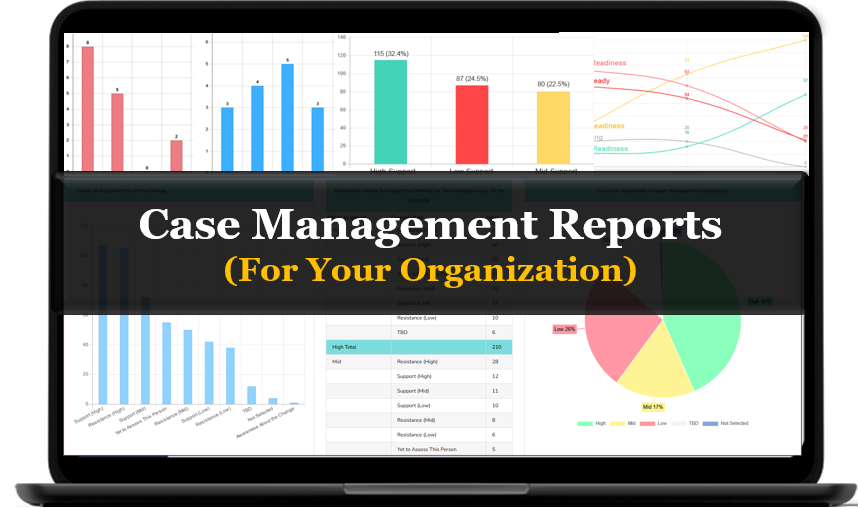
- Two-Way Profile Syncing and Longitudinal Trend Reporting: Connected form fields synchronize automatically with the main client record and analytics dashboards. Across follow-up appointments at 30, 60, and 90 days, behavioral health outcome tracking software plots each completed assessment on a visual rating trend report, showing exact point reductions or symptom spikes across individual patients, assigned clinicians, or entire clinic programs.
| Operational Factor | Manual / Paper-Based Workflow | Automated Digital Workflow |
| Check-In & Telehealth Delivery | Printed clipboards in waiting rooms; mailed or emailed static PDFs for virtual visits | Mobile-friendly web links, reception QR codes, clinic tablets, or secure client portal invites |
| Stepped PHQ-2 to PHQ-9 Logic | Staff manually check PHQ-2 totals and hand out a second paper form if score is 3 or higher | Automated conditional routing expands PHQ-9 items only when PHQ-2 threshold is met |
| Score Calculation & Accuracy | Hand-tallied 0-to-3 columns prone to addition errors during busy clinic hours | Instant automated scoring with pre-configured clinical severity ranges and interventions |
| Suicidal Ideation (Item 9) Triage | Unmonitored on a clipboard until a provider manually reads the sheet in the exam room | Real-time automated staff alerts triggered the second a high-risk score is submitted |
| Chart Filing & EHR Syncing | Manual transcription into progress notes followed by scanning and shredding paper | Two-way field synchronization directly into client profiles and structured form reports |
| Longitudinal Outcome Reporting | Flipping through scanned PDFs or manually updating external Excel spreadsheets | Built-in rating trend reports displaying multi-visit score trajectories and program analytics |
| Privacy & Audit Compliance | Risk of clipboards left on counters, lost sheets, and zero record of who viewed paper | End-to-end encryption, granular role-based permissions, and timestamped user audit logs |
All-in-One Case Management Software
Sign Up Today, Free
No credit card needed!
Do You Have a Team? | ||
Our best all-in-one client and top case management software simplifies everything from client intake and assessments to programs, projects, goals tracking, planning, scheduling, documentation, reporting dashboard, and progress tracking.
What Makes a Digital Depression Screening Form HIPAA Compliant?
Digitizing behavioral health intake introduces strict federal regulatory obligations. Under the HIPAA Security Rule, any electronic depression screening tool for clinics that captures, transmits, or stores electronic protected health information (ePHI) must enforce documented administrative, physical, and technical safeguards. Using free consumer survey builders or unencrypted web forms exposes outpatient clinics to reportable data breaches and federal penalties.
Before deploying a HIPAA compliant digital PHQ-9 form or upgrading a digital mental health intake workflow for outpatient clinics, compliance officers and EHR specialists must verify four non-negotiable technical controls:
- Executed Business Associate Agreement (BAA): The software vendor must sign a formal BAA assuming direct statutory liability for protecting ePHI processed across their servers, databases, and notification pipelines.
- Encryption in Transit and at Rest: Patient responses submitted from a waiting-room smartphone or home laptop must travel over encrypted TLS connections and reside inside encrypted cloud storage so intercepted data remains unreadable.
- Granular Role-Based Access Control (RBAC): Practice administrators must be able to separate front-desk check-in permissions from clinical chart access. Receptionists should see whether an intake form is pending or completed without gaining access to sensitive diagnostic notes or detailed psychological histories.
- Immutable User Audit Logs: Compliance teams require searchable, timestamped audit trails recording every user login, profile view, form export, and record modification by staff member, date, and IP address.

People Also Ask
How do you administer the PHQ-9 digitally without lowering patient completion rates?
Send a mobile-responsive assessment link via text or email 24 hours before the visit and display a scannable QR code at check-in so patients can complete the form on their own phone without creating a password. Keeping the layout uncluttered and mobile-friendly lets patients finish all nine questions in under two minutes.
Can patients complete digital depression screenings without setting up a portal account?
Yes, modern clinical intake platforms allow administrators to publish secure online forms that link submissions to existing patient charts using a unique identifier such as an email address or phone number. This removes account setup friction while preventing duplicate client profiles.
Is Google Forms HIPAA compliant for PHQ-9 screening?
Standard free consumer survey tools are not HIPAA compliant because they lack healthcare-specific access controls, audit logs, and automatic Business Associate Agreements. Clinics must use dedicated, HIPAA-compliant intake software built specifically for healthcare and behavioral health workflows.
How does automated PHQ-9 scoring improve patient safety?
Automated scoring eliminates manual addition mistakes and evaluates clinical risk thresholds the instant a patient hits submit. If a patient scores in the severe range or endorses self-harm thoughts, the system immediately alerts the assigned clinician so crisis triage happens before the appointment ends.
What is the difference between an interactive digital form and an uploaded PDF form?
An interactive digital form captures structured field data that automatically calculates scores, updates the client profile, and populates longitudinal outcome reports. An uploaded PDF is a static document that patients must download, fill out offline, and re-upload, requiring manual staff review and data entry.
Can clinics bill insurance for digital PHQ-9 screenings?
Yes, primary care and outpatient behavioral health clinics routinely bill brief emotional and behavioral assessments under CPT code 96127 when a standardized, validated instrument like the PHQ-9 is administered and scored. Digital forms streamline reimbursement by automatically timestamping the completed assessment and documenting the total score in the chart.
Streamline Your Clinic’s Digital Intake with Case Management Hub
If your intake coordinators and clinicians are still slowed down by paper clipboards, manual score tallying, and disconnected spreadsheets, Case Management Hub brings your entire screening and clinical documentation workflow into one HIPAA-compliant platform.
Designed for outpatient clinics, social workers, and behavioral health practices, Case Management Hub lets you build and deploy custom digital PHQ-2 and PHQ-9 assessments using an intuitive drag-and-drop form builder. Built-in rating fields automatically calculate 0-to-3 scores, display clinical severity interpretations, and send instant email alerts whenever a patient scores in a high-risk range. Patients complete assessments effortlessly via their secure client portal or a direct mobile link and QR code, while every answer syncs automatically to their client profile and visual rating trend reports.
Start Your 21-Day Free Trial (No Credit Card Required)
Frequently Asked Questions
How do we transition our clinic from paper PHQ-9 forms to digital workflows without disrupting front-desk operations?
Run a structured two-week phased rollout. Build and test your digital PHQ-2 and PHQ-9 forms first, train front-desk coordinators on the QR code and tablet workflow, and run digital check-in alongside paper backups during week one. Once reception staff see how quickly automated scores populate client charts without scanning, you can retire paper clipboards permanently in week two.
How do we accommodate older adults or patients who arrive without a smartphone?
A paperless clinic workflow never excludes patients without personal devices. Front-desk staff can keep a dedicated, sanitized clinic tablet at reception for walk-in check-ins, or a medical assistant can open the digital form directly inside the patient's profile and complete the screening verbally together in a private intake room.
Can we import historical paper or spreadsheet PHQ-9 scores so we keep baseline patient trends?
Yes. In platforms like Case Management Hub, administrators can migrate historical assessment scores from legacy systems or Excel trackers using standardized CSV import templates matched by client ID. Backdating those historical submissions preserves each patient's complete multi-year symptom trajectory inside your longitudinal rating trend reports.
How do digital intake forms prevent duplicate client records when patients use public QR links?
Assigning a unique identifier, such as the patient's mobile phone number or email address, prompts the software to scan existing records before creating a new chart. When an established patient submits a new PHQ-9 using their registered phone number, the completed assessment attaches directly to their existing profile.
What if a state Medicaid program or grant funder requires an uneditable PDF form alongside our digital screeners?
You can deploy both formats together inside a single intake packet. Use interactive digital forms for standardized clinical screeners like the PHQ-2 and PHQ-9 so scores calculate and chart automatically, while uploading locked government PDFs as static form templates that clients can download, sign electronically, and upload back into their secure client folder.
How do role-based permissions protect patient privacy when non-clinical staff manage intake?
Granular user role permissions allow practice administrators to separate administrative check-in workflows from clinical documentation. Front-desk coordinators can be restricted to sending intake packets and checking form completion status, while locking detailed SOAP/DAP progress notes and sensitive behavioral health scores exclusively to assigned clinicians and clinical supervisors.
👉 Try it free today - No credit card needed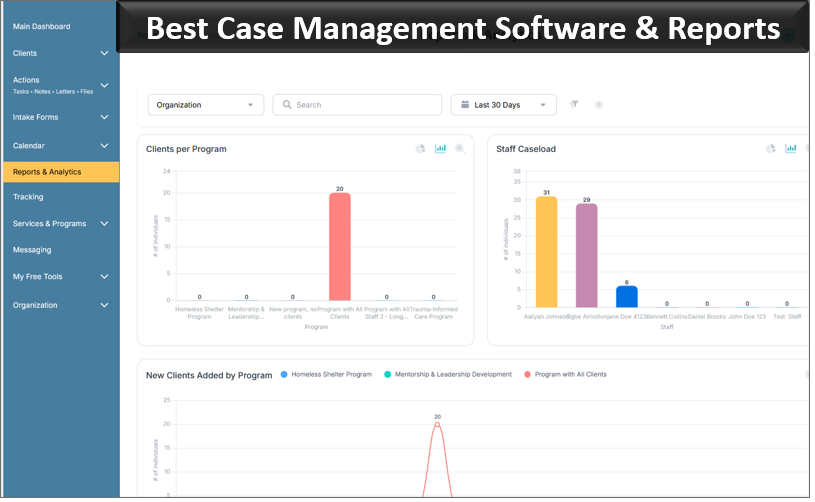
Note: Content on this website (socialworkportal.com) is copyrighted and protected under applicable copyright laws. Unauthorized reproduction, distribution, or use of any content from the website, without explicit written permission, is strictly prohibited. Read: Terms of Use.
Social Work Portal Disclaimer: Social Work Portal is not a social work agency and we do not refer social workers. This web site is provided for educational and informational purposes only and does not constitute providing medical advice or professional social and healthcare services. The information provided should not be used for diagnosing or treating a health problem or disease, and those seeking personal medical advice should consult with ... Read our full disclaimer here: Social Work Portal Disclaimer.