Replace Disjointed Systems with an Efficient, Compliant Practice Workflow
Moving from an agency or community clinic into independent social work brings freedom, but it also hands you an entire back-office operation. Suddenly, you are not solely conducting assessments or delivering psychotherapy. You are managing records, generating superbills, chasing intake forms, and trying to protect sensitive data on personal devices.
Many solo social workers try to patch these operations together using generic word processors, manual spreadsheets, and consumer-grade messaging apps. This makeshift approach quickly turns into an administrative bottleneck. Documentation piles up into the late evening, compliance risks multiply, and practice growth stalls under the weight of manual coordination.
Modernizing your practice is not about buying complex enterprise tools. It is about implementing a unified, secure system that protects your clinical hours, keeps your charting defensible, and frees you to deliver care without constant administrative friction.
Let’s get started
Watch this video:
or
read the guide below.
What You’ll Learn in This Guide
- How to identify and fix the operational leaks in your current solo practice workflow.
- Why relying on manual spreadsheets creates critical legal and HIPAA compliance vulnerabilities.
- The clinical documentation frameworks that cut chart-writing time in half.
- A step-by-step roadmap to automate intake, appointment scheduling, and client communications.
- A direct comparison between fragmented manual workflows and centralized practice automation.
- How to implement modern tools without disrupting your current client caseload.
💡All-in-one Case Management Software.
Everything in one place: clients, notes, forms, appointments, reports, and outcomes.
👉 Try it Free - No credit card needed
Why Is Running an Independent Social Work Practice on Spreadsheets Unsustainable?
When launching an independent social work practice, spreadsheets often feel like a natural, low-cost choice. You might track active client names on one tab, note session dates on another, and log unpaid invoices in a third. Over time, however, spreadsheets create severe operational liabilities.
First, spreadsheets do not provide secure version control or clinical audit trails. In an independent clinical social work setting, client notes require date stamps, practitioner signatures, and restricted access. Standard spreadsheets can be accidentally edited, overwritten, or downloaded onto unsecured local drives without an auditable access log.
Second, manual data entry invites human error. A misplaced row or a mistyped date can cause missed sessions, double-booked appointments, or incorrect diagnostic codes on superbills. A study published in the Annals of Family Medicine revealed that clinicians spend nearly two hours on electronic documentation and desktop medicine tasks for every one hour of direct client clinical time. When that time is spent manually copying data between separate spreadsheets, your effective billable hours drop drastically, while mental fatigue rises.
Finally, spreadsheets fail to connect your clinical obligations with your administrative routines. They cannot automatically send reminders, store signed consent forms, or prompt you when a treatment plan review is due.
How Do You Transition from Fragmented Tools to HIPAA-Compliant Systems?
Independent social workers often juggle four to six disjointed apps: a personal calendar for appointments, an unsecured email account for intake forms, a word processor for case notes, and a generic payment app for invoicing. This patchwork structure introduces immediate compliance risks.
The Health Insurance Portability and Accountability Act (HIPAA) requires covered entities to execute Business Associate Agreements (BAAs) with every third-party software vendor handling Protected Health Information (PHI). Generic email providers, standard cloud drives, and consumer messaging apps do not sign BAAs on free tiers, leaving you legally exposed.
To modernize, consolidate these fragmented services into a single HIPAA-compliant EHR and practice management framework. A compliant infrastructure guarantees:
- End-to-end data encryption at rest and in transit.
- Signed Business Associate Agreements covering your records, notes, and messages.
- Access controls featuring secure multi-factor authentication.
- Granular role-based permissions if you ever expand to bring on interns or associate clinicians.
Centralizing your tech stack also prevents context switching. You no longer have to open three different programs just to verify an intake form, check clinical history, and log a payment.
👉 Try it Free - Free Case Management System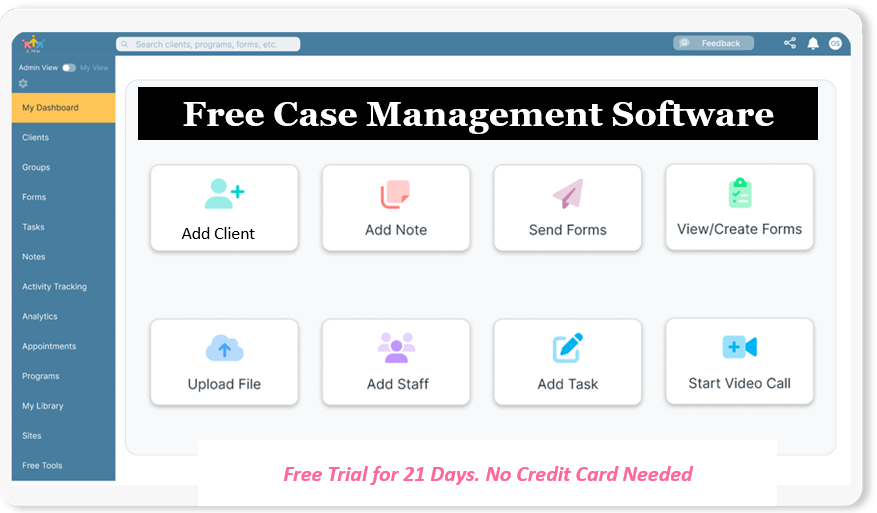
Which Documentation Methods Speed Up Case Notes Without Sacrificing Compliance?
Documentation anxiety is one of the leading drivers of professional burnout among solo practitioners. Late-night charting steals recovery time and clouds clinical focus. Modernizing your practice requires adopting efficient note frameworks supported by structured templates.
The two most effective frameworks for solo social workers and independent case managers are:
- SOAP Notes (Subjective, Objective, Assessment, Plan): Best suited for clinical visits, diagnostic tracking, and formal psychotherapy sessions. SOAP keeps your notes concise by separating the client’s direct reports from your clinical observations and objective interventions.
- DAP Notes (Data, Assessment, Plan): Frequently preferred by independent case managers, behavioral health consultants, and community workers. DAP consolidates subjective statements and factual observations into a single “Data” section, accelerating documentation speed for ongoing sessions and check-ins.
To cut note-writing time down to under five minutes per session, replace blank pages with pre-formatted clinical notes templates. A well-designed digital template guides you to document medical necessity, track symptoms against treatment goals, and log risk assessments cleanly. This approach keeps your charting compliant for insurance audits while stopping notes from invading your personal evenings.
How Digital Tools Streamline Independent Social Work Practice
Transitioning from a manual setup to an automated workflow changes the rhythm of your working week. Here is how modern software systematically handles the core stages of your practice operations:
1. Digital Intake and Onboarding
Instead of emailing PDF attachments or handing out paper packets that must be scanned, your system delivers an encrypted digital intake link. Clients complete demographic forms, review consent agreements, and provide insurance information online. The submitted data flows directly into the client’s secure electronic chart without any manual retyping.
2. Integrated Appointment Scheduling
Clients book their own sessions through a dedicated, secure client portal based on your preset availability rules. Automated text and email reminders go out automatically, reducing last-minute cancellations and no-shows without requiring personal follow-up calls.
3. Structured Clinical Charting
At the end of a session, you open a pre-built DAP or SOAP template linked directly to the appointment. With standardized clinical prompts, goal dropdowns, and diagnostic code lookups, you complete defensible clinical documentation in minutes, sign the entry electronically, and close the encounter.
4. Treatment Goal and Milestone Tracking
Rather than leafing through handwritten historical notes to review progress, an automated dashboard visualizes the client’s trajectory toward their established goals. You track quantifiable milestones, update care plans, and produce progress summaries whenever required.
5. Invoicing and Superbills
Session fees and diagnostic codes convert into digital invoices and compliant superbills with one click. Clients settle payments through an integrated portal, eliminating check deposits, cash tracking, and manual reconciliation.
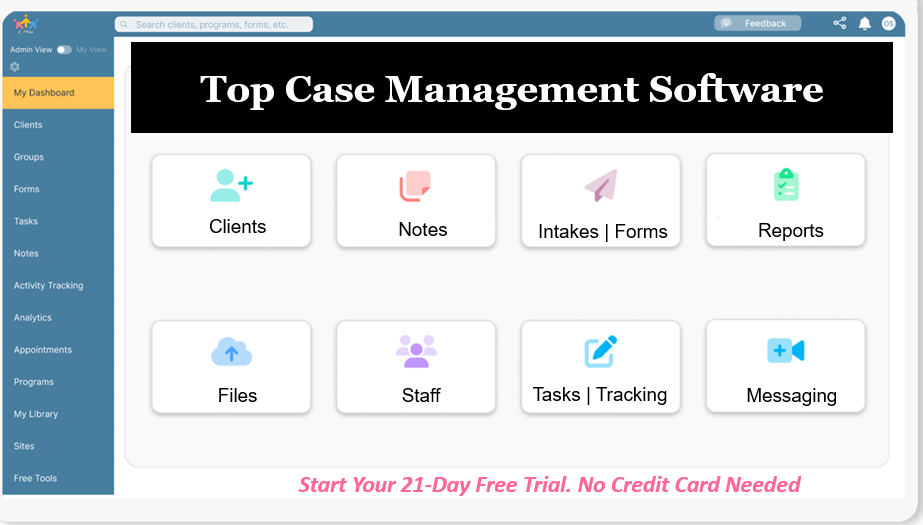
Do You Have a Team? Our best all-in-one client and top case management software simplifies everything from client intake and assessments to programs, projects, goals tracking, planning, scheduling, documentation, reporting dashboard, and progress tracking.All-in-One Case Management Software
Sign Up Today, Free
No credit card needed!
Workflow Comparison: Manual Practice vs. Modern Automated System
| Practice Task | Manual Setup (Spreadsheets & Paper) | Modern Automated System |
| Client Intake | Printing, emailing PDFs, manual filing | Encrypted, self-serve client intake forms |
| Scheduling | Back-and-forth emails, double-booking risks | Self-serve portal with automated reminders |
| Clinical Notes | Unsecured Word documents or paper binders | Structured SOAP/DAP templates with digital sign-off |
| Goal Tracking | Sifting through past notes for history | Centralized dashboard tracking active milestones |
| Invoicing | Typing invoices manually in basic templates | Automated invoice and superbill generation |
| Data Protection | Unsecured local files lacking audit logs | Full HIPAA compliance with continuous cloud encryption |
People Also Ask
Can an independent social worker bill insurance without an agency?
Yes. An independent clinical social worker (LICSW) can bill insurance directly by credentialing with insurance panels as an in-network provider, or by issuing compliant superbills that clients submit to their insurance providers for out-of-network reimbursement.
What is the difference between an LISW and an LICSW?
A Licensed Independent Social Worker (LISW) generally practices independently in social systems, administration, policy, or non-clinical casework. A Licensed Independent Clinical Social Worker (LICSW) holds specialized post-graduate clinical supervision and testing that authorizes them to diagnose and treat mental health disorders autonomously.
How do solo practitioners guarantee HIPAA compliance when working remotely?
Solo practitioners maintain compliance by conducting telehealth sessions over encrypted, HIPAA-compliant platforms that provide signed Business Associate Agreements. They also store records on encrypted cloud servers and protect client communications through secure portals rather than standard SMS.
How long must independent social workers keep client records?
Record retention periods depend on state licensing board rules and jurisdiction regulations, typically ranging from seven to ten years following the last date of service for adults, and longer for minors.
Is case management software necessary for a solo social work practice?
While not legally mandated, specialized case management software protects solo practitioners from catastrophic data loss, streamlines auditing, and eliminates the heavy administrative burden of running a practice alone.
How do independent social workers set their hourly private practice rates?
Independent practitioners set rates by calculating their monthly business overhead, licensing and software expenses, self-employment taxes, and health coverage, balancing these totals against regional market standards and clinical specializations.
How Case Management Hub Powers Your Modern Independent Practice
Modernizing your practice should not mean spending your weekends configuring complicated software. You need a purpose-built workspace that handles client coordination, documentation, and compliance in one unified space.
Case Management Hub was built specifically for social workers, independent case managers, and solo therapists who want to get out from under administrative paperwork. The platform brings your entire practice workflow together:
- Comprehensive Client Tracking: Keep client records, contacts, and referral histories organized inside a single, secure interface.
- Streamlined Clinical Documentation: Complete defensible SOAP, DAP, and specialized progress notes quickly using customizable templates.
- Paperless Intake Forms: Collect signatures, consents, and intake data through an encrypted portal directly into client files.
- Goal & Milestone Dashboards: Map out interventions and track client progress over time with measurable indicators.
- Automated Scheduling & Reminders: Let clients schedule their sessions online and reduce no-shows with automated notifications.
- Secure Messaging & Billing: Communicate safely with clients, collect session fees, and generate clean superbills without third-party add-ons.
- Full HIPAA Compliance: Protect your license with robust data encryption and signed Business Associate Agreements.
Reclaim your evenings and build a sustainable, organized practice. Start your 21-day free trial of Case Management Hub today, with no credit card required.
Frequently Asked Questions (FAQs)
Migrating files is straightforward. You can export active client contact lists from your existing spreadsheets and import them directly into your new platform. Historical paper records or PDF charts can be uploaded into individual client files as attachments, allowing you to run a fully digital workflow from day one while maintaining past records.
Even non-clinical independent social workers benefit from dedicated platforms. If you provide care coordination, school assessments, or community consulting, you still handle sensitive client information, track deliverables, manage service contracts, and invoice for hours. A specialized platform keeps your case files organized and protects private information.
During an audit, regulatory boards or insurance payers review your documentation for medical necessity, clear diagnostic support, standardized treatment plans, and chronological timelines. A modern practice management platform stores time-stamped, electronically signed SOAP or DAP notes, allowing you to export clean, professional documentation packages that satisfy audit standards.
Yes. Modern cloud-based practice management platforms run securely within any web browser on laptops, desktops, or tablets. This flexibility enables independent social workers to review charts, capture signatures during in-person visits, or complete telehealth notes from anywhere with an internet connection.
Automated text and email reminders significantly reduce missed appointments by giving clients clear notice and self-service rescheduling options within your cancellation policy window. Consistent attendance maintains clinical momentum, keeps clients engaged with their treatment plans, and protects your billable schedule from empty hours.
A valid BAA clearly states that the software vendor agrees to implement administrative, physical, and technical safeguards to protect your clients' Protected Health Information. Ensure the provider signs the agreement at no additional fee and explicitly details their incident reporting protocols and compliance responsibilities under federal standards.How difficult is it to migrate my existing client files into a modern platform?
Do I need a separate electronic health record if I run a consulting or non-clinical practice?
What happens if an insurance company or state licensing board audits my practice notes?
Can I run my independent practice entirely from a laptop or tablet?
How does automating appointment reminders affect client engagement and retention?
What should I look for in a Business Associate Agreement before signing up for software?
👉 Try it free today - No credit card needed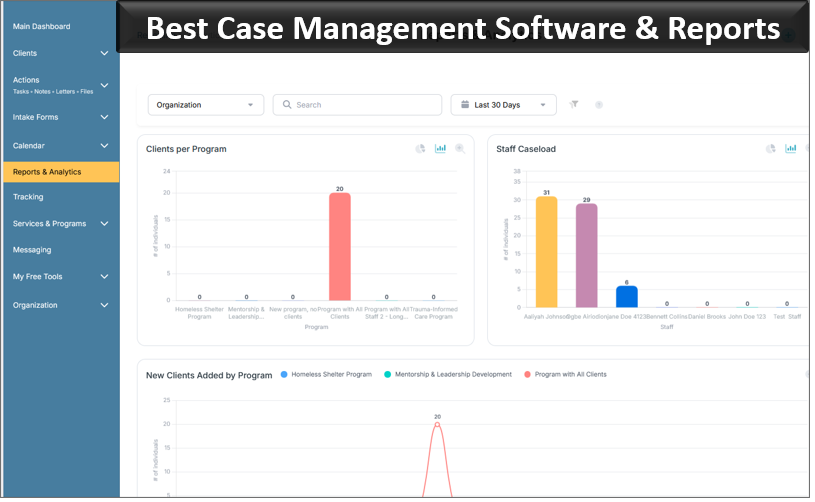
Note: Content on this website (socialworkportal.com) is copyrighted and protected under applicable copyright laws. Unauthorized reproduction, distribution, or use of any content from the website, without explicit written permission, is strictly prohibited. Read: Terms of Use.
Social Work Portal Disclaimer: Social Work Portal is not a social work agency and we do not refer social workers. This web site is provided for educational and informational purposes only and does not constitute providing medical advice or professional social and healthcare services. The information provided should not be used for diagnosing or treating a health problem or disease, and those seeking personal medical advice should consult with ... Read our full disclaimer here: Social Work Portal Disclaimer.