Modern Casework: Eliminating Data Silos and Reporting Delays
Every human services agency battles the same structural breakdown at the end of each funding quarter. Frontline clinicians deliver high-touch crisis de-escalation, family mediation, and intensive case navigation at the micro tier. Meanwhile, operations directors and executive leadership sit in closed offices at the macro tier, burning nights and weekends attempting to assemble grant reports for state funders and philanthropic foundations.
The mechanism connecting these two critical operations is usually an unmanaged web of desktop spreadsheets, shared workbook tabs, and email attachments. Clinicians log notes in Word documents, track attendance on paper sign-in sheets, and paste client identifiers into shared Excel workbooks. When leadership needs to prove program efficacy, those disconnected spreadsheets collapse under the weight of broken formulas, duplicate rows, and untracked client exits. Bridging micro casework and macro outcome reporting does not require hiring more administrative staff. It requires replacing fragile spreadsheets with an automated, structured data pipeline.
Let’s get started
Watch this video:
or
read the guide below.
What You’ll Learn in This Guide
- Why manual workbook tracking systematically breaks down as client volume scales across departments.
- The operational, legal, and financial liabilities of managing protected client health data inside spreadsheets.
- A clear comparison of manual record-keeping versus modern automated casework architectures.
- The step-by-step workflow that moves client data seamlessly from initial intake to state-level reporting.
- How clinical supervisors can extract quantitative outcome metrics from qualitative SOAP and DAP notes.
- Concrete strategies to eliminate double-entry, protect staff from burnout, and safeguard grant revenue.
Free Download: Field Checklist & Audit Sheet – Clinical Progress Notes & Macro Alignment
Download the Field Checklist & Audit Sheet: Clinical Progress Notes & Macro Alignment—a print-ready, professional companion resource designed specifically for case managers, social workers, and clinical supervisors.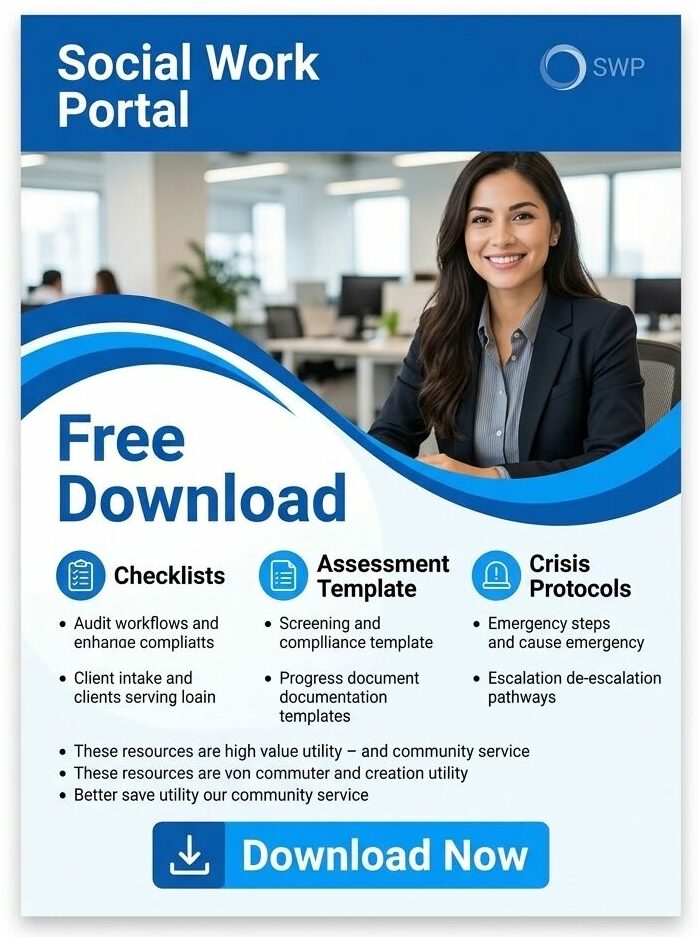
Download Your Free Resources Here
💡All-in-one Case Management Software.
Everything in one place: clients, notes, forms, appointments, reports, and outcomes.
👉 Try it Free - No credit card needed
Why Do Manual Spreadsheets Sabotage Cross-Tier Case Tracking?
Micro casework is inherently qualitative, narrative, and fluid. Clinicians document emotional nuances, complex family dynamics, and subjective progress during one-on-one sessions. Macro administration, however, demands rigid, quantitative precision. Legislative bodies, Medicaid auditors, and private foundations do not read narrative case histories. They demand hard metrics: unduplicated clients served, average length of stay, demographic distribution, and verified percentages of treatment goal completion.
Spreadsheets cannot reconcile narrative clinical documentation with structured data aggregation. When an agency relies on static workbooks, every macro report requires manual transcription. A supervisor must review individual client files, count handwritten status updates, and manually type numerical totals into a summary sheet.
According to the NASW Standards for Social Work Case Management, maintaining workload sustainability and ethical record-keeping requires agencies to support staff with structured documentation environments. When caseworkers spend 20 hours a week acting as manual data entry clerks, client contact hours drop, waitlists grow, and documentation backlogs inevitably trigger staff turnover.
What Are the Hidden Compliance and Liability Costs of Tracking Casework in Workbooks?
Beyond lost administrative hours, running multi-tier human services on spreadsheets introduces severe regulatory and operational risks:
1. Version Drift and Formula Corruption
When multiple staff members access shared workbooks, data integrity disappears. One caseworker accidentally sorts a single column instead of the entire sheet, misaligning client names from their actual case IDs. Another team member saves an offline version to a personal laptop, creating competing records. By the time leadership audits the numbers for a state monitoring visit, the underlying calculations cannot be verified.
2. Catastrophic HIPAA and Privacy Exposure
Federal guidelines outlined in the HHS Summary of the HIPAA Security Rule require organizations to enforce role-based access controls, automatic session timeouts, and comprehensive audit trails for all electronic protected health information. Spreadsheets lack native safeguards. A workbook containing names, diagnoses, and Social Security numbers can be downloaded to an unencrypted flash drive, emailed to a personal address, or viewed by personnel who have no clinical need to access that record. Operating without signed Business Associate Agreements and granular permissions exposes your organization to severe regulatory fines and reputational loss.
3. Blind Spots Around Emerging Community Needs
When client files stay locked in individual caseworker tabs, emerging group dynamics and broader patterns that define mezzo level social work remain completely invisible. If a shelter discovers that twenty separate clients were evicted by the same property management firm over 60 days, that insight is buried across twenty separate personal documents. Leadership cannot build targeted support groups or mobilize community legal aid because the data was never aggregated into an actionable cohort.
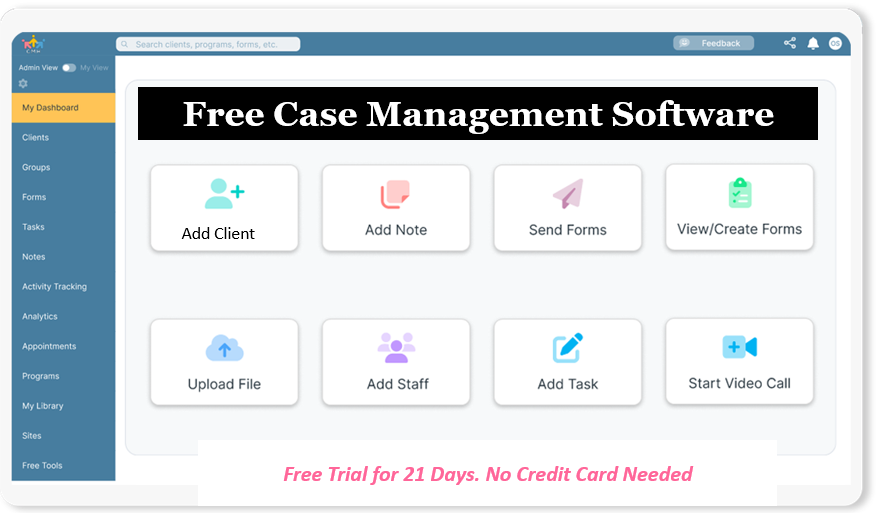
👉 Try it Free - Free Case Management System
How Do Manual Casework Workflows Compare to Automated Platforms?
Transitioning away from spreadsheets restructures an agency’s operational health from the ground up:
| Operational Dimension | Manual Spreadsheet Tracking | Automated Casework Architecture |
| Client Intake & Onboarding | Paper packets re-keyed by hand; frequent transcription errors and lost consents. | Encrypted digital intake portals that instantly populate core client records with zero re-entry. |
| Progress Documentation | Freeform text scattered across desktop folders, personal notebooks, and shared tabs. | Standardized, structured SOAP and DAP note templates linked directly to service plans. |
| Supervisory Oversight | Supervisors manually request tracking updates and audit individual worker files one by one. | Centralized dashboard displaying live caseload volume, active milestones, and overdue notes. |
| Mezzo Cohort Tracking | Group rosters maintained on separate sheets; no unified view of client participation across programs. | Integrated group scheduling and cohort tracking attached directly to master client charts. |
| Macro Grant Reporting | Days of manual counting, pivot table troubleshooting, and unverified data reconciliation. | Instant export of de-identified, audit-ready demographic and outcome reports in one click. |
| Data Security & Auditing | No access tracking, easily exported locally, highly vulnerable under HIPAA reviews. | Role-based permissions, automated audit trails, data encryption, and certified compliance standards. |
How Digital Tools Streamline Cross-Tier Casework
Eliminating administrative friction requires a unified data pipeline that connects frontline clinical encounters to high-level compliance analytics. Modern software accomplishes this through a clear four-stage sequence:
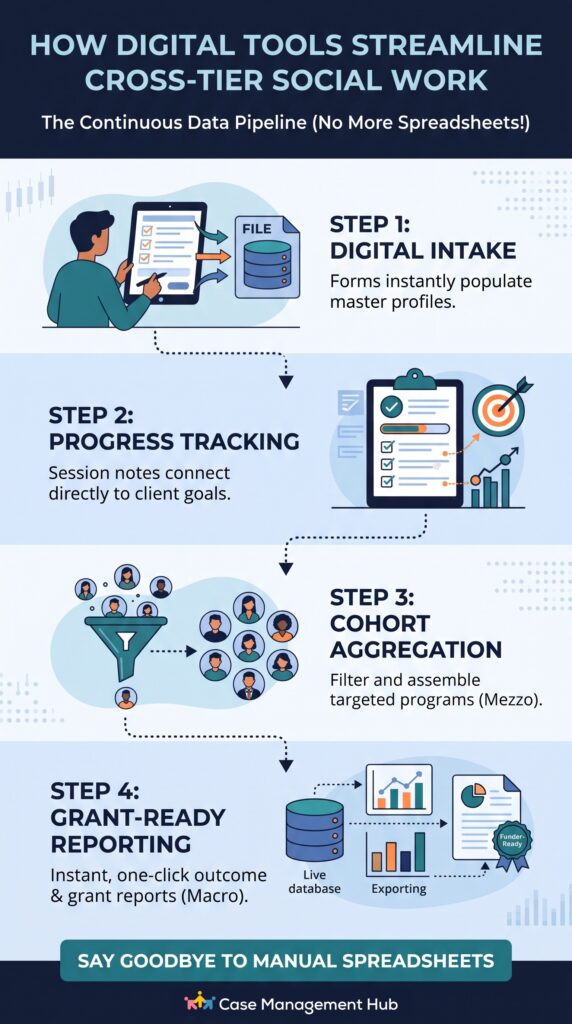
Step 1: Frontline Intake Standardization and Structured Data Ingestion
The process begins at initial contact. Instead of relying on paper packets or risking common onboarding errors, agencies digitize the most common social worker intake forms so clients or intake coordinators submit data through an encrypted portal. Standardized demographic markers, insurance details, and clinical data gathered during a biopsychosocial assessment map directly to a central master profile. This establishes clean, queryable data points before the first clinical session begins.
Step 2: Dynamic Progress Tracking Linking Notes Directly to Goals
During individual sessions, practitioners record progress using standardized clinical templates like SOAP or DAP notes. Crucially, the platform connects daily notes directly to established service plan goals. When a clinician updates an employment readiness metric or logs a housing placement milestone, the software records the achievement in the master record automatically. Staff never update secondary tracking logs because clinical documentation and progress tracking are the same action.
Step 3: Automated Mezzo Cohort Aggregation Without Double-Entry
When program managers need to launch community-level interventions, the platform surfaces shared challenges across the caseload. A coordinator can filter active cases by specific criteria, such as youth navigating school truancy or veterans managing housing vouchers, and enroll them into a dedicated group program with a single click. Attendance, session topics, and collective progress feed directly back into each participant’s individual chart.
Step 4: Grant-Ready Macro Metrics and Audit-Proof Rollups
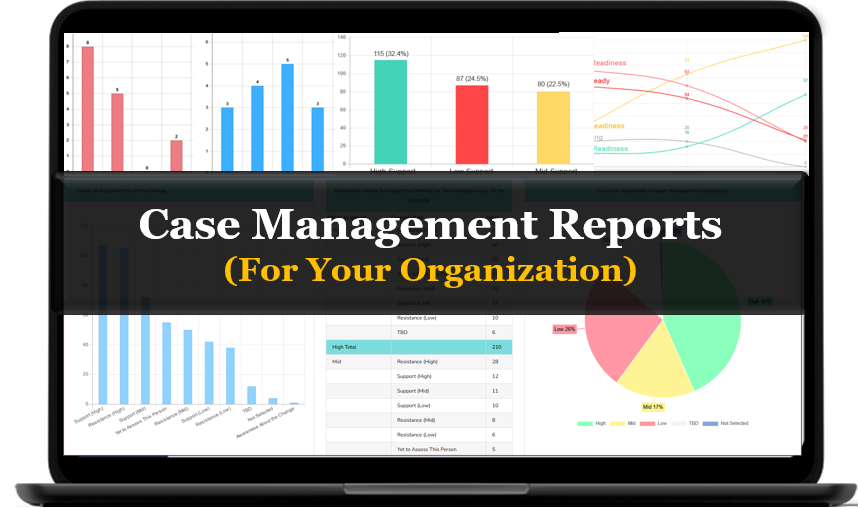
When leadership must submit quarterly deliverables to an institutional funder, the data is already structured, validated, and de-identified. The operations director selects the required reporting dates, filters by program or funding stream, and generates clean visual dashboards and data tables. What previously required three staff members and two weeks of manual consolidation now happens in seconds.
All-in-One Case Management Software
Sign Up Today, Free
No credit card needed!
Do You Have a Team? | ||
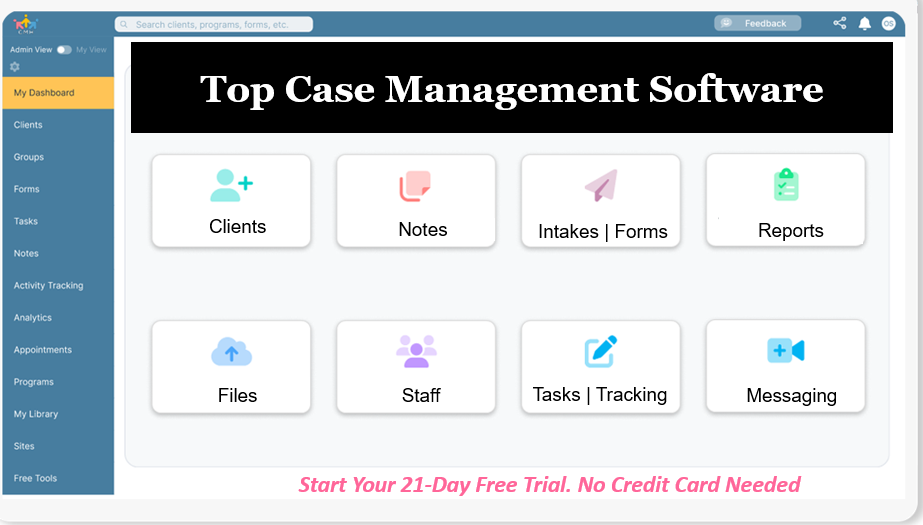
Our best all-in-one client and top case management software simplifies everything from client intake and assessments to programs, projects, goals tracking, planning, scheduling, documentation, reporting dashboard, and progress tracking.
How Can Clinical Supervisors Convert Narrative Notes into Hard Outcome Metrics?
The traditional barrier to automating social work reporting has always been the tension between clinical storytelling and numerical accounting. Therapists write stories; grant managers need percentages.
The solution lies in structuring the Objective (O) and Assessment (A) components of standardized SOAP notes:
- Standardized Assessment Fields: Rather than burying mental health status in free-text paragraphs, integrate validated clinical screening tools into the note template. Scoring standardized screeners (such as the PHQ-9 for depression, the GAD-7 for anxiety, or localized self-sufficiency matrices) provides numeric baseline and exit values.
- Standardized Milestone Checkpoints: Configure closed-loop status fields inside the note interface (for example: Housing Secured: Pending / Approved / Placed).
- Automated Mathematical Rollups: Caseworkers focus solely on checking the correct status and writing their clinical observations. The underlying system automatically calculates agency-wide percentage gains, retention rates, and goal-attainment velocity across hundreds of cases simultaneously.
This framework protects the therapeutic relationship. Caseworkers do not need to become accountants, and leadership never has to guess what the agency accomplished.

People Also Ask About Connecting Micro and Macro Social Work
What is the fastest way to aggregate social work data for grant reports?
The fastest way is using a dedicated case management system that automatically captures structured data from daily clinical notes and intake forms. This allows administrators to export aggregated, de-identified outcome summaries instantly, bypassing manual spreadsheet calculations entirely.
Can spreadsheets be made fully HIPAA compliant for casework?
Standard spreadsheets stored on personal hard drives or basic cloud drives lack mandatory technical safeguards like automated audit logs, granular role-based permissions, and signed Business Associate Agreements. Maintaining compliance with spreadsheets requires massive administrative overhead that specialized software provides automatically.
How does micro-level casework directly support macro policy change?
Micro casework captures frontline qualitative experiences and clinical indicators that reveal where community safety nets are failing. When aggregated into verifiable datasets, this clinical documentation equips practitioners applying policy advocacy skills for macro social change with the empirical evidence needed to lobby legislators and secure state funding.
Why do caseworkers experience high rates of documentation burnout?
Caseworkers burn out because administrative duties often consume up to half their daily working hours. Managing fragmented spreadsheets, re-entering data across multiple forms, and hunting down missing records robs them of clinical time and leads to cognitive fatigue.
What is the difference between mezzo and macro outcome tracking?
Mezzo outcome tracking evaluates group programs, neighborhood initiatives, or family cohort interventions run by a specific agency. Macro outcome tracking analyzes broad population health statistics, regional policy impacts, and multi-organization service trends.
How does an automated digital intake pipeline save staff time?
A digital intake pipeline lets clients complete initial registration and consent paperwork online before their session. The responses instantly populate the master electronic chart, eliminating up to 45 minutes of manual re-typing per intake for clinical staff.
Why Are Leading Human Services Teams Migrating to Case Management Hub?
Spreadsheets were never designed to manage human lives or meet strict regulatory mandates. Human services agencies need an operational engine built specifically for the complexities of modern social work practice.
Case Management Hub provides a unified, HIPAA-compliant platform that bridges frontline casework with executive reporting in a single interface:
- Centralized Client Tracking: Consolidate demographic data, historical touchpoints, and active services into an intuitive, secure database.
- Standardized Clinical Documentation: Accelerate note-taking with structured SOAP and DAP templates designed to cut charting time in half.
- Streamlined Digital Intake: Onboard clients rapidly through secure, customizable online intake forms that eliminate manual data entry.
- Integrated Scheduling and Messaging: Manage client appointments, automate reminder notifications to reduce no-shows, and maintain secure communication.
- One-Click Macro Reporting: Generate comprehensive, funder-ready outcome summaries and grant compliance reports without opening a spreadsheet.
Eliminate manual spreadsheets, protect client data, and give your caseworkers the tools they need to focus on what matters most: human impact.
Start your 21-day free trial with Case Management Hub today (no credit card required)
Frequently Asked Questions
How difficult is it for frontline caseworkers to transition from spreadsheets to dedicated casework software?
The learning curve is minimal because purpose-built platforms are structured around familiar clinical workflows rather than complex formulas. With standardized form fields, intuitive dropdown menus, and point-and-click note templates, most caseworkers become completely proficient within a few days. Staff quickly appreciate spending significantly less time on repetitive manual logging.
How does dedicated case management software ensure strict HIPAA compliance?
Specialized platforms enforce rigorous technical safeguards mandated by federal law, including end-to-end data encryption in transit and at rest, role-based access restrictions, and detailed audit logs tracking every record view or edit. In addition, the vendor executes a binding Business Associate Agreement (BAA), legally guaranteeing compliance with federal standards.
Can clinical supervisors customize note templates and evaluation metrics?
Yes. Quality case management platforms allow agency leaders to design custom intake questions, define program-specific service goals, and tailor clinical note formats like SOAP, BIRP, or DAP. This customization ensures the software adapts to your specific clinical methodologies while maintaining clean data structures for reporting.
How does cross-tier software prevent duplicate client profiles across programs?
Centralized systems maintain a single master record per client, indexed by unique identifiers, contact information, and demographic indicators. Whether a client is attending individual therapy, participating in a peer support group, or receiving housing assistance, all activities attach to one unified file, eliminating fragmented duplicate charts.
Will automated reporting satisfy strict federal and private grant requirements?
Yes. Funders typically require unduplicated client counts, demographic distributions, units of service delivered, and verified outcome percentages. Because a dedicated system logs these metrics automatically during routine documentation, administrators can export pristine, auditable datasets tailored to each funder's exact reporting parameters.
How does integrated scheduling reduce missed appointments and lost revenue?
Casework platforms include automated SMS and email appointment reminders that notify clients prior to scheduled visits. By significantly reducing client no-shows, agencies protect clinical continuity, maximize billable service hours, and minimize time spent making manual reminder phone calls.
👉 Try it free today - No credit card needed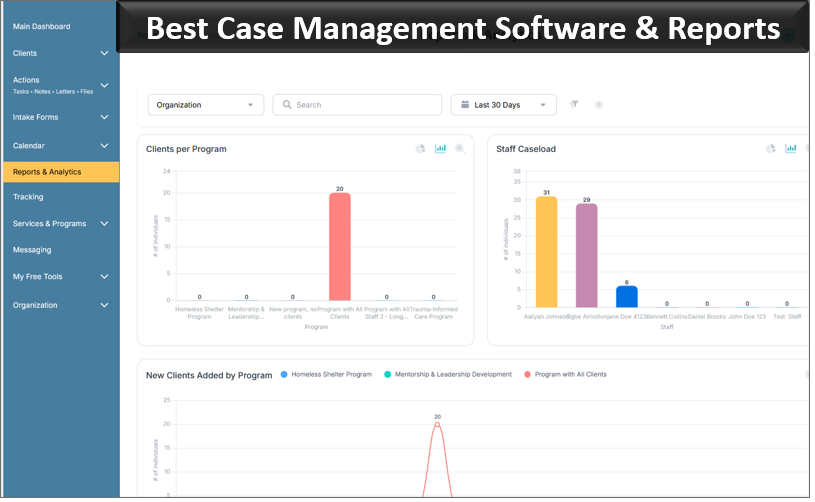
Note: Content on this website (socialworkportal.com) is copyrighted and protected under applicable copyright laws. Unauthorized reproduction, distribution, or use of any content from the website, without explicit written permission, is strictly prohibited. Read: Terms of Use.
Social Work Portal Disclaimer: Social Work Portal is not a social work agency and we do not refer social workers. This web site is provided for educational and informational purposes only and does not constitute providing medical advice or professional social and healthcare services. The information provided should not be used for diagnosing or treating a health problem or disease, and those seeking personal medical advice should consult with ... Read our full disclaimer here: Social Work Portal Disclaimer.