
Best Immigrant and Refugee Case Management Software for Nonprofits – How to Choose the Right One
Organizations serving immigrants and refugees rarely manage a simple, single-service caseload. A client may need help with housing today, employment next week, and a referral to another community provider after that. Families may participate in several programs at the same time. Staff may need to coordinate services across locations, document referrals, track progress, and report outcomes to funders.
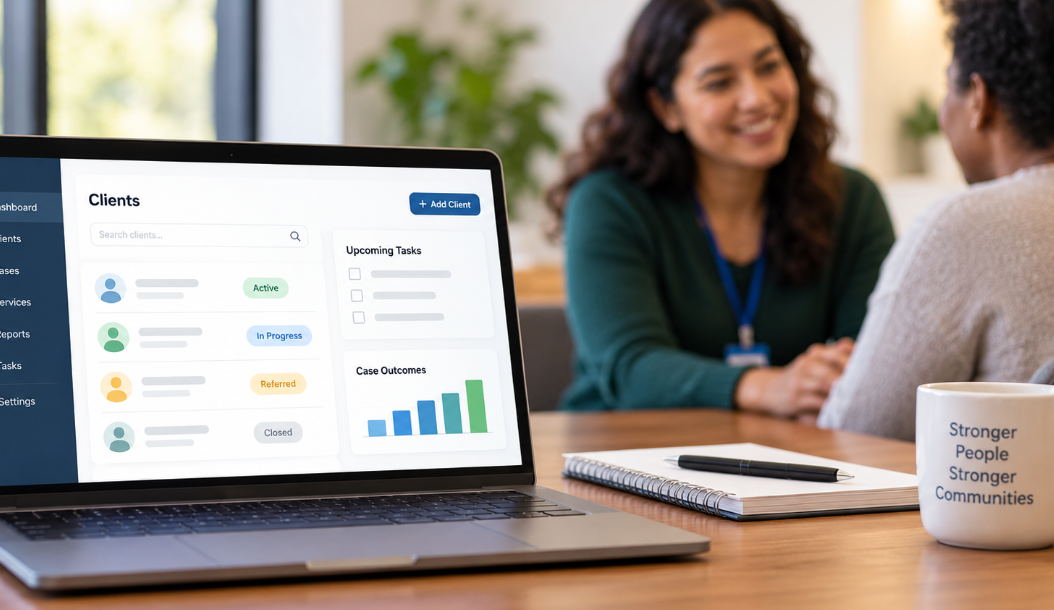
Trying to manage that work through spreadsheets, paper files, email, and disconnected databases eventually creates problems. Information gets duplicated. Follow-ups are harder to see. Reporting takes longer than it should. Staff spend time reconstructing a client’s history instead of opening one record and seeing what has happened.
Immigrant and refugee case management software can give nonprofits a more practical way to manage that complexity. The key is choosing a system around the work your organization actually performs rather than buying software based on a long feature list.

Immigrant and Refugee Services Create Distinct Case Management Needs
Immigrant and refugee community organizations can operate very differently from one another. Some concentrate on resettlement or newcomer support. Others provide employment assistance, housing services, education, family support, community resource navigation, or referrals to legal and healthcare providers. Larger nonprofits may operate many of these programs simultaneously.
The case management system has to accommodate those differences.
A rigid platform built around one standard intake and one standard workflow can force staff to adapt their programs to the software. That is usually the wrong direction. A better refugee and immigrant services software platform gives the organization enough flexibility to configure client information, forms, services, workflows, and reports around its programs.
This becomes particularly important when the same client or household interacts with more than one program. Staff need appropriate visibility into previous services and current activity without creating duplicate client records every time someone enrolls in another service.
Start With the Client Journey Before Comparing Software
One of the most common software selection mistakes is starting with vendor demonstrations. A polished demo can make almost any system look capable. It doesn’t tell you whether the software fits your organization.
Start with your own workflow instead.
Choose several representative programs and map what happens from the first client contact through service completion. Identify what staff collect during intake, which assessments are completed, how services are recorded, where referrals occur, what follow-up is required, and which outcomes eventually need to be reported.
Pay particular attention to the places where staff currently leave the primary system. If case managers maintain separate spreadsheets for referrals, use personal calendars for follow-ups, or create manual reports because the existing database can’t produce them, those workarounds belong in your requirements.
Once those workflows are documented, software demonstrations become much more useful. Instead of asking a vendor to show you its product, you can ask the vendor to show you how its product handles your work.
Centralized Client Records Should Give Staff a Clear Case History
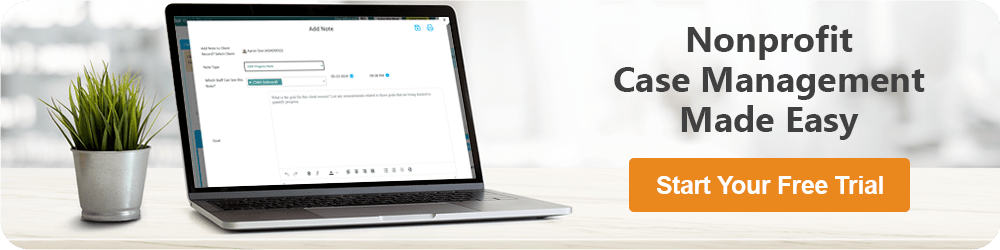
A centralized client profile is the foundation of useful immigrant case management software. Authorized staff should be able to open a client record and understand the relevant history without searching through several applications.
Depending on the organization, that profile may contain contact and household information, program enrollment, intake forms, assessments, case notes, documents, services, referrals, goals, tasks, appointments, and historical activity.
The details matter. Ask whether fields can be customized. Find out how multiple programs are represented. Determine whether staff can see a useful timeline of activity and whether access can be restricted based on roles.
Also consider how households are handled. Some programs primarily serve individuals, while others work extensively with families. If household relationships matter to your services, test how the system represents them rather than assuming every client database handles family structures well.
The objective is straightforward: staff should be able to understand the case without maintaining a second unofficial record elsewhere.
Intake and Assessment Forms Need to Be Customizable
Refugee case management software should not force every program through the same intake process.
An employment program may need information that a housing program doesn’t. A newcomer support program may use different assessments from a youth or family services program. Even programs serving similar populations can have different funding and documentation requirements.
Look for a system that lets your organization create or modify forms, assessments, client fields, and case documentation without turning every adjustment into a development project.
During a demonstration, ask the vendor to build or modify a field. See what the process actually looks like. If ordinary configuration requires technical support every time, understand the cost and turnaround time before signing a contract.
Customization should also have limits. Collecting more information isn’t automatically better. Organizations should have a reason for the client data they request and maintain.

Service Tracking Should Be Structured Enough to Report On
Narrative case notes are valuable, but they aren’t a substitute for structured service tracking.
If a nonprofit wants to know how many clients received employment assistance, housing support, resource navigation, education services, or another type of assistance during a reporting period, staff shouldn’t have to read hundreds of notes to find out.
Good refugee services software should allow organizations to define the services they provide and record them consistently. Those services should remain connected to the appropriate client, program, date, and other information needed for reporting.
This can also improve internal program management. Leadership can see which services are being used, how activity changes over time, and whether different programs are documenting work consistently.
The system doesn’t need to turn every interaction into a complicated data-entry exercise. The best configuration captures enough structured information to support operations and reporting without making case managers spend unnecessary time clicking through fields.
Referral Tracking Is Especially Important for Community-Based Services
Immigrant and refugee organizations often operate within a wider network of community providers. One organization cannot reasonably provide every service a client may need.
That makes referral management a core requirement rather than an optional feature.
Staff should be able to document where a client was referred, what service was requested, when the referral occurred, and what follow-up is needed. Ideally, the workflow should also make it possible to record whether the client connected with the referred service.
Without structured referral tracking, this information often ends up buried in case notes or email. That makes it difficult for another staff member to understand what happened and difficult for leadership to evaluate referral activity across the organization.
For organizations coordinating services across multiple community partners, referral tracking should be tested carefully during software selection.
Language and Communication Needs Belong in the Evaluation
Immigrant and refugee communities are linguistically diverse, and organizations need workflows that reflect the people they serve.
At a minimum, consider how the system records preferred language, interpretation needs, and other communication information relevant to your programs. That information should be available to the appropriate staff at the point where they need it.
If multilingual forms or client-facing functions matter to your organization, test those capabilities directly.
A vendor may describe a platform as multilingual when only certain parts of the system support multiple languages. Another platform may allow translated forms but not provide a translated client portal or interface. Those differences matter.
Software is only one part of language access, so don’t expect technology to replace appropriate interpretation, translation, or organizational practices. The practical question is whether the system supports those practices or creates additional barriers.
Reporting Should Be Tested With Your Real Requirements
Reporting is where many organizations discover the limitations of their case management software.
A vendor can accurately say that its product includes reporting while still offering reports that don’t answer the questions your nonprofit needs to answer.
Bring examples of your actual reporting requirements into the selection process. Ask how the platform would produce information about clients served, program participation, services delivered, referrals, assessments, goals, outcomes, and other measures relevant to your work.
Then test filtering. Can staff report by program, service, date range, location, demographic field, or another custom field? Can data be exported when additional analysis is necessary?
For grant-funded immigrant and refugee service organizations, this deserves more attention than flashy dashboard graphics. A visually impressive dashboard has limited value if staff still have to reconstruct funder reports manually.

Goals and Outcomes Help Connect Services With Progress
Counting services tells an organization what it did. Outcome tracking can help show what changed.
Depending on the program, organizations may need to document goals, milestones, assessments, status changes, or other measures of client progress. The appropriate outcomes will vary significantly between programs, which is another reason flexibility matters.
A refugee resettlement software system shouldn’t force every program into the same definition of success. Employment services, housing support, youth programs, and community navigation can require very different measures.
During evaluation, ask whether outcomes can be configured by program and whether staff can report on them without maintaining separate tracking spreadsheets.
Tasks and Reminders Should Reduce Reliance on Memory
Case management includes a large amount of follow-up work. A referral may require a check-in. A document may need to be collected. An assessment may be due. A client may need another appointment.
Those actions should not depend entirely on a case manager remembering them or maintaining a personal spreadsheet.
Useful immigrant services software should allow tasks and reminders to be associated with clients and assigned to the appropriate staff. Supervisors should have enough visibility to understand outstanding work without micromanaging every case.
Test this from the case manager’s perspective. Ask a vendor to show what a staff member sees at the beginning of the day. Can the person quickly identify upcoming tasks and overdue follow-ups? Can they move directly from the task to the relevant client record?
Small workflow details like these have an outsized effect on whether people actually use a case management system consistently.

Ease of Use Matters More Than an Impressive Feature Count
Feature comparisons can push organizations toward systems that are more complicated than they need.
That complexity has a cost. If routine documentation takes too long, staff begin finding shortcuts. If reports require specialized knowledge, only one person knows how to produce them. If navigation is confusing, training becomes an ongoing burden rather than an implementation task.
Include frontline case managers in software trials. Give them realistic tasks rather than asking whether they like the interface.
- Create a client and complete an intake.
- Add a case note and document a service.
- Create and follow up on a referral.
- Assign a task to another staff member.
- Upload and retrieve a document.
- Find a client’s recent activity.
- Generate a basic program report.
Observe what they can do without coaching. That tells you much more about usability than a guided demonstration.
Security and Permissions Need More Than a Checkbox
Immigrant and refugee service organizations may maintain sensitive personal, household, program, and service information. Protecting that information requires both appropriate organizational practices and suitable technology.
Ask vendors detailed questions about authentication, encryption, backups, audit capabilities, data storage, security practices, and incident procedures relevant to your requirements.
Role-based permissions are particularly important. An administrator, supervisor, case manager, volunteer, intern, and program staff member may require very different access.
The software should allow your organization to apply those distinctions instead of choosing between giving someone access to everything or preventing them from doing their job.
If your organization has specific legal, contractual, funding, or regulatory requirements, evaluate those requirements directly. Don’t treat broad vendor claims such as “secure” or “compliant” as sufficient evidence for your particular use case.
Mobile Access Matters for Work Outside the Office
Community-based staff don’t always work behind a desk. Services may be provided from partner locations, community centers, outreach events, satellite offices, or other settings.
If your team works this way, mobile access deserves a real test.
Open the system on the phones or tablets staff are likely to use. Try finding a client, reviewing relevant information, entering a note, updating a task, or completing another common action.
A platform can technically be accessible through a mobile browser and still be frustrating to use on a small screen. What matters is whether common workflows remain practical.
Multi-Program Organizations Need One System Without One Rigid Workflow
Many immigrant and refugee nonprofits operate multiple programs, sometimes across several locations. A useful case management platform should provide organization-wide consistency without forcing every team to work identically.
Ask whether programs can have different forms, services, assessments, and reporting requirements. Determine whether users can be assigned appropriate program access and whether leadership can report across programs when necessary.
This balance matters. Too little flexibility leads teams back to spreadsheets. Too much uncontrolled customization can create a different data structure for every program, making organization-wide reporting difficult.
The better approach is deliberate configuration: shared standards where consistency helps, program-specific workflows where differences are legitimate.
Look Beyond the Subscription Price
Affordable case management software is understandably attractive to nonprofits, but comparing subscription prices alone can be misleading.
Ask about implementation, training, data migration, support, configuration, storage, additional modules, integrations, electronic signatures, client-facing functionality, and other charges relevant to your organization.
Calculate what happens as the number of users grows. Understand whether additional programs or locations affect pricing.
Then consider administrative cost. Software that appears inexpensive can become costly if employees spend hours building manual reports or maintaining parallel spreadsheets because the system can’t handle core requirements.
The right comparison is the total cost of operating the system effectively, not simply the lowest monthly price.
Questions to Ask Immigrant and Refugee Case Management Software Vendors
A structured vendor evaluation makes it easier to compare systems fairly. Give each vendor the same core scenarios and ask for demonstrations rather than yes-or-no answers.
- Can we customize intake forms, assessments, client fields, and case notes?
- Can one client participate in several programs without duplicate records?
- How does the system handle individuals, families, and household relationships?
- Can we track services and referrals separately from narrative case notes?
- Can referrals be followed through completion or another outcome?
- How are goals and program outcomes documented?
- Can reporting use our custom fields and program-specific information?
- How are language preferences and communication needs documented?
- What role-based permissions are available?
- How usable is the platform on phones and tablets?
- How is existing client and historical data imported?
- What training and ongoing support are included?
- Can we export our data if we decide to leave the platform?
- What additional costs should we expect beyond the subscription?
Don’t try to evaluate every possible feature equally. Concentrate on the workflows staff perform repeatedly and the reporting requirements the organization cannot avoid. Those are the areas where a poor software fit creates the most ongoing work.
How to Choose the Best Immigrant and Refugee Case Management Software
The best immigrant and refugee case management software is the system that fits the way your organization delivers services while giving staff and leadership better control over client information, referrals, follow-ups, programs, and reporting.
Start with your workflows. Test the software using realistic client scenarios. Bring frontline staff into the evaluation. Ask vendors to demonstrate reporting with the types of information your organization actually collects. Examine security, permissions, data portability, support, and total cost before committing.
Most importantly, pay attention to what happens after implementation. A system can have dozens of advanced capabilities and still fail if case managers find routine work cumbersome. Conversely, a straightforward platform that handles your core processes well can eliminate a surprising amount of administrative friction.
For immigrant-serving nonprofits, refugee resettlement organizations, newcomer programs, and community-based service providers, the goal should be a case management system staff can realistically use every day and leadership can rely on when it needs a clear picture of services and results.
FAQs: Immigrant and Refugee Case Management Software for Nonprofits
What is immigrant and refugee case management software?
Immigrant and refugee case management software is a digital platform that helps nonprofits and community organizations manage client records, case notes, services, referrals, tasks, documents, goals, and outcomes in one centralized system.
What features should refugee case management software include?
Refugee case management software should include customizable intake forms, centralized client profiles, service tracking, referral management, case notes, task reminders, outcome reporting, document management, role-based permissions, and support for multiple programs.
How does immigrant case management software help nonprofits?
Immigrant case management software helps nonprofits organize client information, coordinate services, track referrals and follow-ups, manage caseloads, and produce program reports. It can also reduce reliance on spreadsheets, paper files, and disconnected systems.
What should refugee resettlement organizations look for in case management software?
Refugee resettlement organizations should look for flexible workflows, household and client tracking, customizable forms, referral tracking, service documentation, reporting, mobile access, strong permissions, and the ability to support multiple programs and locations.
How do nonprofits choose the best immigrant and refugee case management software?
Nonprofits should choose immigrant and refugee case management software by mapping their real workflows first, then comparing usability, customization, reporting, security, referral tracking, mobile access, data export, support, and total cost.
Note: Content on this website (socialworkportal.com) is copyrighted and protected under applicable copyright laws. Unauthorized reproduction, distribution, or use of any content from the website, without explicit written permission, is strictly prohibited. Read: Terms of Use.
Social Work Portal Disclaimer: Social Work Portal is not a social work agency and we do not refer social workers. This web site is provided for educational and informational purposes only and does not constitute providing medical advice or professional social and healthcare services. The information provided should not be used for diagnosing or treating a health problem or disease, and those seeking personal medical advice should consult with ... Read our full disclaimer here: Social Work Portal Disclaimer.