Modernizing Case Management & Clinical Workflows for Public Sector Agencies
Frontline child welfare caseworkers, county human services coordinators, and agency supervisors face an unsustainable administrative load. Dedicated human services professionals enter the field to stabilize families, protect vulnerable children, and connect individuals with critical support. Instead, staff spend hours re-typing handwritten interview notes, hunting down physical file folders, and reconciling siloed spreadsheets across fragmented computer systems.
This dynamic creates a dangerous operational environment. High caseloads coupled with outdated paper tracking result in delayed assessments, missed compliance deadlines, and staff exhaustion. A landmark study published by the Child Welfare League of America (CWLA) revealed that child welfare caseworkers spend less than 20% of their working hours in direct, face-to-face contact with children and families, while administrative tasks and paperwork consume more than 50% of their typical workday.
The goal of public sector modernization is straightforward: eliminate manual documentation bottlenecks so caseworkers can spend their energy where it matters most, supporting families in the community.
Let’s get started
Watch this video:
or
read the guide below.
What You’ll Learn in This Guide
- How transitioning paper social work files to digital records protects client confidentiality and cuts administrative overhead.
- Actionable child welfare documentation backlog reduction strategies that mitigate caseworker burnout.
- Practical methods for structuring notes using SOAP vs. DAP templates.
- Essential HIPAA compliance guidelines for county human services managing cross-system data.
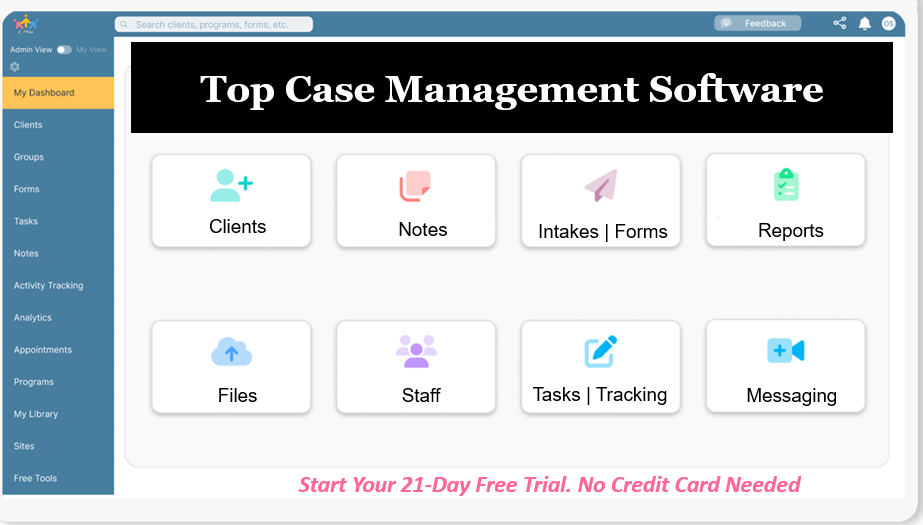
- How integrated platforms unify client tracking, mobile documentation, automated intake, and state grant reporting.
💡All-in-one Case Management Software.
Everything in one place: clients, notes, forms, appointments, reports, and outcomes.
👉 Try it Free - No credit card needed
Why Is Moving from Paper to Digital Records Crucial for Agencies?
Transitioning paper social work files to digital records is not merely a file-storage upgrade. It is an urgent operational priority. Physical paper systems create serious vulnerabilities: lost case files during office relocations, unauthorized physical access, unreadable handwritten clinical notes, and severe administrative backlogs.
When an agency relies on paper records, child welfare documentation backlog reduction becomes nearly impossible. Caseworkers conduct home visits, jot observations onto legal pads, return to regional offices, and spend valuable evening hours manually transcribing those field observations into desktop computers. This double-data entry delays critical safety assessments and places agencies at risk during state quality assurance audits.
Transitioning to secure, centralized cloud storage solves these pain points:
- Immediate Record Access: Supervisors, caseworkers, and clinical leads review active case updates instantly, whether working on-site, in court, or remotely.
- Granular Role-Based Permissions: Staff access only the specific client files authorized for their operational scope.
- Audit Trails: Every view, note modification, and data export generates an immutable timestamp to ensure legal accountability.
- Disaster Recovery: Digital records eliminate the danger of permanent record loss due to water damage, fire, or physical mishandling.
What Clinical Documentation Formats Best Support Child and Family Welfare?
Standardizing clinical documentation is one of the most effective caseworker burnout paperwork reduction strategies an agency can deploy. Without standardized note formats, caseworkers often produce overly lengthy narrative logs that take hours to draft and prove difficult for supervisors or attorneys to parse during court hearings.
Two structured formats dominate modern clinical social work:
SOAP vs. DAP Notes for Child and Family Welfare
- SOAP Notes (Subjective, Objective, Assessment, Plan):
- Subjective: Quotes and direct perspectives shared by the child, parent, or caregiver during the encounter.
- Objective: Observable, measurable clinical facts, such as physical environment, emotional affect, living conditions, and behavioral interactions.
- Assessment: The caseworker’s professional evaluation of risk, safety, progress, or regression.
- Plan: Immediate next steps, upcoming court dates, referrals, and target dates for follow-up visits.
- DAP Notes (Data, Assessment, Plan):
- Data: Combines both subjective statements and objective observations into an integrated clinical summary.
- Assessment: The worker’s diagnostic evaluation of the client’s current status and dynamic risk factors.
- Plan: The intervention roadmap and actionable milestones agreed upon with the family.
Agencies using digital SOAP note templates for child welfare workers reduce per-visit documentation time by half. Standardized sections prompt workers for specific, legally defensible facts, eliminating ambiguity while guaranteeing compliance with federal Title IV-E and state auditing standards.
👉 Try it Free - Free Case Management System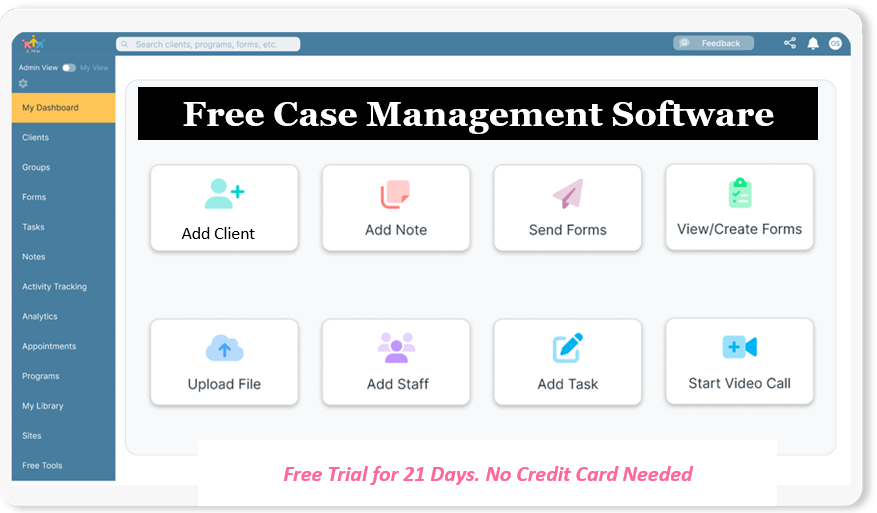
How Do Agencies Maintain HIPAA Compliance During Interagency Collaboration?
Public welfare systems do not operate in isolation. Caseworkers constantly coordinate with family courts, juvenile justice departments, behavioral health clinics, public school districts, and community non-profits. However, interagency data sharing challenges in social work present major compliance risks.
Caseworkers routinely resort to unencrypted email chains, unsecured text messaging, or physical document handoffs to relay urgent client updates. These informal workarounds violate state and federal privacy mandates.
County administrators must enforce strict HIPAA compliance guidelines for county human services by establishing secure communication protocols:
- End-to-End Encrypted Data: Data must be encrypted both at rest and in transit across all agency networks and mobile devices.
- Business Associate Agreements (BAAs): Any third-party technology vendor processing protected health information (PHI) must sign a formal BAA assuming shared liability.
- Dedicated Client Messaging: Replace unsecured SMS on personal or government-issued phones with a secure client messaging platform for public sector social workers. This maintains conversations within the official case record and creates an auditable record of communication.
- Controlled Multi-Agency Portals: Non-profit liaisons and contracted providers should access dedicated partner views that disclose only need-to-know documentation, preventing unauthorized exposure of broader family histories.
How Digital Tools Streamline Government Case Management Workflows
Modernizing public agency operations requires moving away from disconnected point solutions. When appointment calendars, paper forms, intake logs, and clinical notes reside in separate silos, administrative time expands and error rates climb.
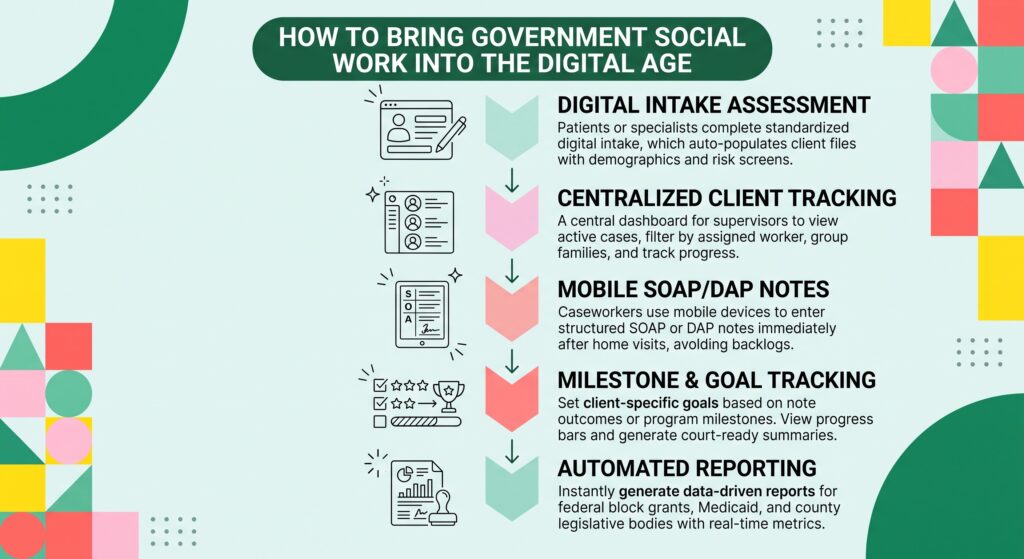
Adopting integrated digital platforms eliminates double entry and automates repetitive tasks across five key stages:
- Automated Social Work Intake Form Software
Rather than handing clients multi-page paper packets that must be manually re-typed into a database, agencies deploy digital intake forms. Clients or intake specialists complete standardized forms via tablet or secure web portal. The system populates demographic details, emergency contacts, and initial risk screening metrics directly into a new client master file.
- Client Tracking Software for State and Local Human Services
Supervisors gain real-time visibility into caseload distribution, active family safety plans, and pending deadlines. A centralized dashboard alerts managers when home visits approach due dates, eliminating surprise compliance deficits.
- Mobile Documentation Tools for Home Visit Social Workers
Caseworkers complete structured SOAP or DAP notes immediately following home visits using mobile-responsive platforms. Documenting observations at the point of care avoids end-of-week transcription backlogs and preserves critical clinical details while fresh in memory.
- Cloud Based Social Work Appointment Scheduling Software
Automated SMS and email reminders reduce missed appointments, failed home visits, and court appearance absences. Caseworkers synchronize client calendars with agency schedules, ensuring team visibility into field movements.
- Automated Reporting Software for Government Social Work Grants
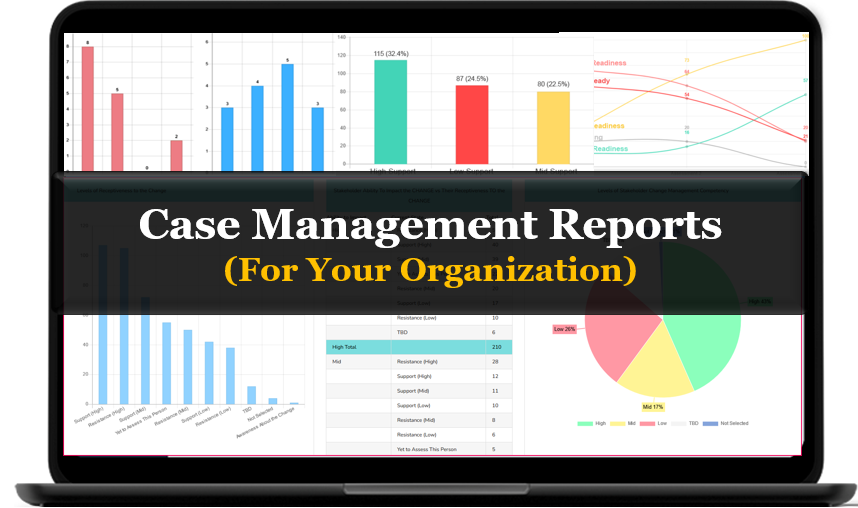
Compiling outcome reports for federal block grants, Medicaid, or local legislative bodies traditionally requires days of manual data collation. Digital platforms generate aggregate reports on client progress, service utilization, and demographic trends with a single click.
Do You Have a Team? Our best all-in-one client and top case management software simplifies everything from client intake and assessments to programs, projects, goals tracking, planning, scheduling, documentation, reporting dashboard, and progress tracking.All-in-One Case Management Software
Sign Up Today, Free
No credit card needed!
What Does the Workflow Shift Look Like in Practice?
The operational gap between traditional paper administration and modern digital execution affects daily productivity, data accuracy, and regulatory compliance.
| Operational Area | Traditional Manual Workflow | Modern Automated Workflow | Operational Impact |
| Intakes | Paper packets transcribed manually; frequent illegible handwriting and missing signatures. | Automated social work intake form software with electronic signatures and automatic file creation. | Cuts initial client onboarding and data processing time by up to 70%. |
| Case Notes | Handwritten notes jotted on legal pads; transcribing delayed by days or weeks. | Digital SOAP note templates for child welfare workers completed via mobile devices. | Saves 6 to 8 hours per worker each week in administrative transcription time. |
| Client Progress | Progress scattered across binder notes and static spreadsheets. | Centralized digital goal tracking system for community mental health and welfare. | Provides instant visibility into milestone completion for court reviews. |
| Client Messaging | Unencrypted personal cell phone calls, SMS texts, and unsaved paper notes. | Secure client messaging platform for public sector social workers with automatic audit logging. | Eliminates HIPAA violations while creating clear communication records. |
| Scheduling | Manual phone tag and paper appointment books; high client no-show rates. | Cloud based social work appointment scheduling software with automated text reminders. | Reduces missed visits and failed home checks by up to 40%. |
| Billing & Grants | Manual reconciliation of service hours across spreadsheets for funding claims. | Social service billing and reimbursement tracking platform integrated with case notes. | Accelerates Title IV-E and Medicaid claim submissions while reducing billing rejections. |
People Also Ask
How long does it take for a public social work agency to transition from paper to digital records?
Most county agencies and public departments complete phased software implementation within 30 to 90 days. A successful transition begins by digitizing intake forms and active client rosters before migrating historical records.
Are digital SOAP and DAP notes legally admissible in family court?
Yes. Digital notes created inside a HIPAA-compliant platform with verifiable electronic signatures, date stamps, and unalterable audit trails meet strict legal evidentiary requirements in court proceedings.
What is the most effective way to track client progress in government assistance programs?
The best approach utilizes a digital goal-tracking module tied directly to everyday case notes. This structure connects concrete interventions to specific behavioral or financial milestones, allowing caseworkers to generate clear progress reports instantly.
How does mobile documentation reduce caseworker turnover?
Mobile documentation allows caseworkers to finalize notes immediately following home visits, eliminating the burden of working late into the evening to complete transcription backlogs. Reducing this administrative overhead significantly mitigates burnout and job dissatisfaction.
Can non-profit contractors collaborate safely within a public agency case management system?
Yes. Secure platforms offer role-based access control, enabling external contractors and community non-profit liaisons to view and update only the specific cases assigned to them without accessing unrelated public records.
How does digital case management support social service billing and reimbursement tracking?
Digital platforms link time spent during client visits directly to billable service codes, such as Medicaid or Title IV-E funding. This ensures documentation satisfies auditing criteria prior to invoice submission, preventing denied claims.
How Can Case Management Hub Transform Your Agency Operations?
Modernizing a human services department does not require cumbersome multi-year enterprise IT rollouts. Caseworkers need intuitive, specialized tools that adapt to public sector workflows while meeting strict regulatory standards.
Case Management Hub is an all-in-one, HIPAA-compliant platform built specifically for social workers, casework supervisors, and public welfare coordinators. By consolidating your core operational needs into a unified environment, Case Management Hub replaces disconnected spreadsheets, loose forms, and outdated software.
Key Capabilities Built for Human Services:
- Comprehensive Client Tracking: Monitor caseloads, track family units, and review cross-program histories in one centralized hub.
- Point-of-Care Clinical Notes: Rapidly draft, review, and sign structured SOAP and DAP notes with built-in audit trails.
- Digital Intake & Consent Forms: Send self-serve intake packets with secure e-signatures that instantly populate master client profiles.
- Goal & Progress Tracking: Quantify interventions and milestone completion to demonstrate tangible client progress to courts and grant providers.
- Secure Client Messaging: Communicate safely with clients and community partners via encrypted channels that log every interaction.
- Integrated Scheduling & Reminders: Automate appointment confirmations for home visits, office meetings, and multidisciplinary case conferences.
- Billing & Grant Reporting: Track billable activities and export aggregate metrics for state and federal compliance reviews.
Empower your frontline caseworkers to spend less time on paperwork and more time with the families who rely on them.
Start your 21-day free trial today with no credit card required
Frequently Asked Questions (FAQs)
What security certifications are required for cloud-based public sector case management?
Software handling public human services data must comply with HIPAA Security and Privacy Rules, utilize AES-256 bit encryption for data storage, and enforce TLS 1.3 encryption during transmission. Platforms should also provide comprehensive Business Associate Agreements (BAAs), role-based permissions, and automatic session timeouts to prevent unauthorized terminal access.
How can rural caseworkers document home visits when working without cellular reception?
Modern case management tools offer offline data collection capabilities. Field workers can complete intake assessments and SOAP notes on their laptops or mobile devices while in areas without network coverage. Once the device reconnects to a secure Wi-Fi or cellular network, the data syncs automatically with the agency repository.
How do digital intake forms accommodate clients with limited digital literacy or access?
Digital systems provide multiple intake paths. Agency workers can hand a secure tablet directly to a client in the office, complete an intake verbally while inputting responses side by side, or send a simplified mobile link to the client's smartphone before an appointment.
How do structured SOAP and DAP notes improve supervisory reviews?
Structured formats organize observations into consistent sections, allowing clinical supervisors to review assessments and safety plans rapidly. Instead of reading through lengthy narrative paragraphs, supervisors can immediately verify objective findings, safety plans, and court-mandated milestones.
What strategies ensure high frontline adoption when introducing new software?
Agencies achieve the highest adoption rates by involving caseworkers early during the workflow configuration phase. Selecting software with an intuitive, consumer-grade interface rather than dense legacy enterprise screens reduces training requirements and encourages voluntary daily use.
How does an all-in-one platform lower total IT operating costs for county governments?
Consolidating intake, scheduling, messaging, note-taking, and reporting into a single platform eliminates the need to license, integrate, and maintain multiple disparate software products. It minimizes ongoing vendor management overhead and frees agency IT staff from building custom API bridges between siloed databases.
👉 Try it free today - No credit card needed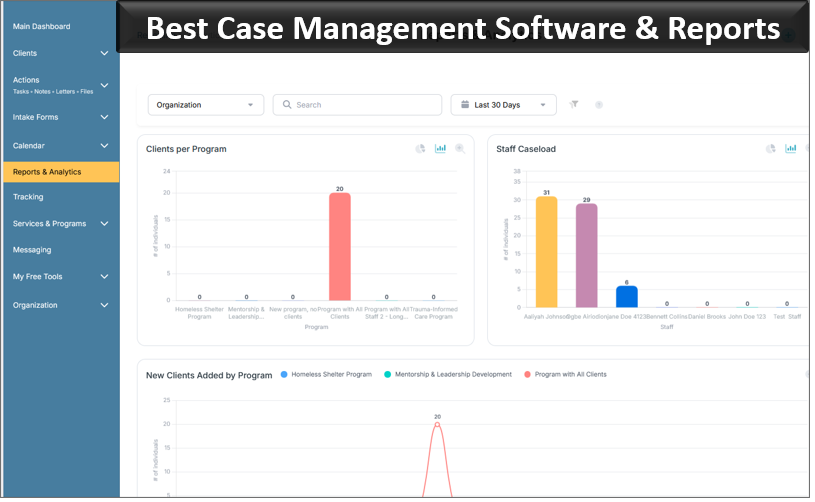
Note: Content on this website (socialworkportal.com) is copyrighted and protected under applicable copyright laws. Unauthorized reproduction, distribution, or use of any content from the website, without explicit written permission, is strictly prohibited. Read: Terms of Use.
Social Work Portal Disclaimer: Social Work Portal is not a social work agency and we do not refer social workers. This web site is provided for educational and informational purposes only and does not constitute providing medical advice or professional social and healthcare services. The information provided should not be used for diagnosing or treating a health problem or disease, and those seeking personal medical advice should consult with ... Read our full disclaimer here: Social Work Portal Disclaimer.