
Best Case Management Software for Nonprofits: How to Choose
Choosing case management software for a nonprofit is harder than comparing feature lists. Most systems can store client information, create notes, assign tasks, and generate some type of report. The real differences become apparent after staff start using the software every day.
A nonprofit needs a system that fits the way services are actually delivered. That may mean managing several programs, documenting client interactions, tracking referrals, monitoring goals and outcomes, collecting signatures, coordinating staff, or producing reports for funders. The software also has to be usable enough that case managers don’t retreat to spreadsheets and Word documents six weeks after implementation.
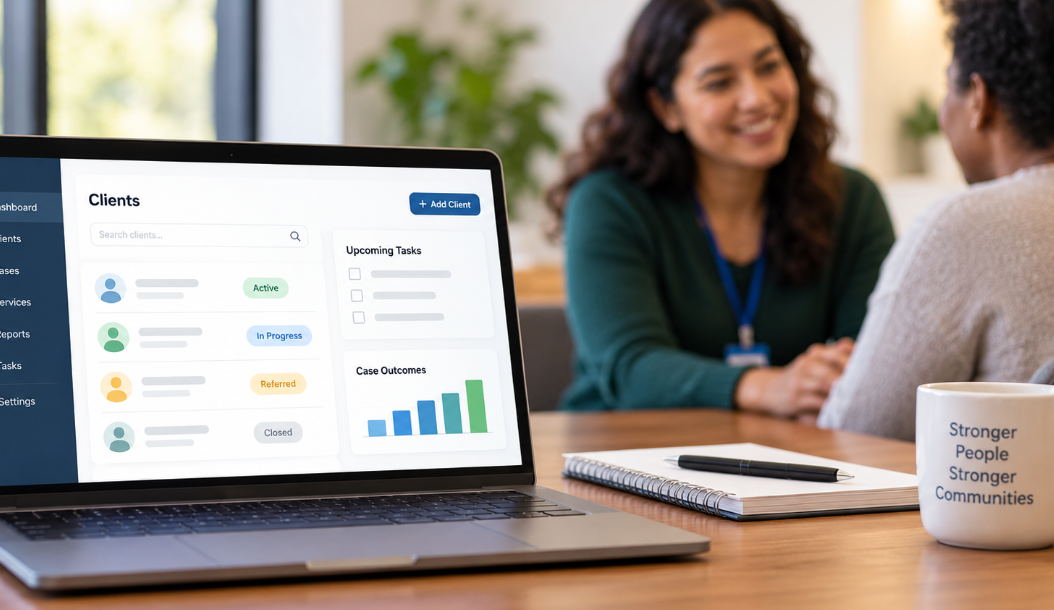
That is why the best case management software for nonprofits isn’t necessarily the platform with the longest feature list. It is the one that gives the organization enough structure to manage cases consistently without forcing staff into workflows that don’t fit their programs.
This guide explains what to look for, which features deserve the most attention, what commonly gets overlooked during software evaluations, and how to compare nonprofit case management systems before committing to one.

Start With Your Service Delivery Model, Not the Software
One of the easiest mistakes to make is starting with software demonstrations. Vendors show impressive dashboards, automation, reports, and dozens of features. Teams begin comparing products before agreeing on what they actually need the system to do.
Reverse that process.
Map how a client moves through your organization first. Start with intake and follow that client through assessments, enrollment, service delivery, referrals, case notes, goals, follow-ups, outcomes, and eventual case closure. If different programs follow different processes, map those differences too.
This exercise usually exposes requirements that a generic software checklist misses. A housing nonprofit may need to track units, placements, services, expenses, and housing stability. A community health organization may care more about referrals, assessments, appointments, consent forms, and coordinated care. A youth services organization might need program enrollment, guardian information, attendance, goals, progress notes, and outcome reporting.
Your requirements should come from those workflows.
Before evaluating nonprofit case management software, document the information staff collect, the actions they perform, the reports management needs, and the information funders expect. Then separate those requirements into what is essential and what would simply be convenient.
That distinction prevents an attractive feature from becoming more important than the work the system was purchased to support.
The Features That Matter Most in Nonprofit Case Management Software
There is no universal feature list for every nonprofit. Still, organizations providing ongoing client services tend to depend on a common group of capabilities.
Centralized client and case records
Staff should be able to open a client record and understand what is happening without searching through separate spreadsheets, inboxes, folders, and documents.
Look at how the software organizes contact information, demographics, case notes, assessments, documents, services, goals, referrals, tasks, appointments, and historical activity. More importantly, check whether staff can quickly find the information they use most often.
Customizable intake forms and assessments
Nonprofits rarely collect exactly the same information. Even two programs inside the same organization can have very different intake requirements.
A good case management system should let you adapt forms, fields, assessments, and documentation to your programs rather than requiring every team to conform to one rigid template.
Case notes and service tracking
Case notes are only part of the record. Many nonprofits also need to document exactly what services were provided, when they were provided, who delivered them, and sometimes the time or cost associated with the service.
This becomes especially useful when organizations need to answer questions such as how many clients received a particular service, which programs are being used most frequently, or what services were delivered under a specific funding source.
Goals, progress, and outcome tracking
Recording activity is not the same as measuring results. If your organization needs to demonstrate client progress, look closely at how the system handles goals, assessments, milestones, and outcomes over time.
This is particularly important for grant-funded programs. Being able to show that 500 services were delivered is useful. Being able to connect those services with meaningful client outcomes can be far more valuable.
Referral management
For organizations working across community resources, referrals shouldn’t disappear after someone hands a client a phone number. The system should make it possible to document where a client was referred, why, when the referral occurred, and what happened afterward.
Tasks, reminders, and caseload management
Case management software should reduce the amount of work staff have to remember manually. Tasks and reminders can help teams follow up on referrals, complete assessments, contact clients, renew documentation, or take other time-sensitive actions.
Supervisors should also be able to understand caseloads without maintaining a separate tracking spreadsheet.
Reporting Should Be Tested Before You Buy
Reporting is one of the areas where nonprofit organizations can get burned during software selection.
Almost every vendor says its product includes reporting. That tells you very little.
The question is whether the software can produce the reports your organization actually needs without someone spending hours cleaning data in Excel afterward.
Bring several real reporting requirements into the demonstration. Ask the vendor to show how the system would answer them.
- How many clients did a particular program serve during a specified period?
- Which services did those clients receive?
- Can results be filtered by program, location, staff member, demographic characteristic, service, or date?
- Can you report on client goals and outcomes?
- Can reports be exported when additional analysis is necessary?
- Can custom fields collected by your organization be included in reports?
This matters because nonprofit reporting requirements change. A new grant may require information you weren’t collecting two years ago. A flexible reporting system gives you more room to adapt without rebuilding your entire data process.
Ease of Use Is More Important Than an Impressive Demo
A feature-rich system can still be a poor choice if frontline staff find it difficult to use.
That problem has consequences beyond staff frustration. If documenting an interaction takes too long, notes may be delayed. If forms are cumbersome, staff create workarounds. If reports are confusing, someone exports everything to a spreadsheet. Eventually the organization is paying for case management software while still maintaining a shadow system outside it.
Don’t limit software evaluation to executives and administrators. Include people who will actually enter case notes, complete forms, manage referrals, update goals, and search client records.
Give them ordinary tasks to complete during a trial or demonstration. For example, ask someone to create a client, complete an intake, write a case note, assign a task, record a service, upload a document, and find the information again.
You will learn more from that exercise than from watching another polished sales presentation.
Customization Matters, but Too Much Customization Has a Cost
Nonprofits should generally avoid software that forces every program into an inflexible workflow. You need enough customization to reflect how your organization operates.
Look for the ability to configure forms, custom fields, case notes, assessments, services, programs, and reporting criteria where appropriate.
There is a tradeoff, though.
A platform that requires months of technical configuration before anyone can use it may be more flexibility than a smaller nonprofit needs. Heavy customization can also increase implementation costs and make future changes harder.
The better question isn’t simply, “Can this software be customized?” Ask, “Can our team make the changes we are likely to need without turning every change into a technical project?”
Consider Multiple Programs, Locations, and Teams
A case management system can work well for one small program and become awkward once the organization expands.
If you operate multiple programs, ask whether each program can maintain its own forms, workflows, services, and reporting while still contributing to organization-wide reporting.
Organizations with multiple locations should test whether data can be segmented by site while authorized leadership retains broader visibility.
Permissions deserve similar attention. A volunteer, case manager, supervisor, program director, and administrator may require very different levels of access. Role-based permissions allow organizations to provide people with the information they need without exposing every record or administrative function to every user.
Thinking about this before purchase is much easier than discovering after implementation that your organizational structure doesn’t fit the software.
Cloud-Based Case Management Software and Mobile Access
Many nonprofit teams no longer work from one office. Case managers may visit clients, work from community locations, rotate between sites, or document services remotely.
Cloud-based case management software can support this type of work by allowing authorized staff to access the system through an internet connection rather than relying on files stored on one local computer or server.
Mobile access should be tested rather than assumed. Open the software on the devices your staff actually use. Check whether common activities such as reviewing a client record, entering a note, completing a form, capturing a signature, or updating a task are practical on a phone or tablet.
If field staff regularly postpone documentation until they return to a computer, that workflow should influence your software decision.
Security and Data Ownership Need Direct Answers
Nonprofits can hold highly sensitive information about the people they serve. Depending on the program, that may include health information, housing status, financial circumstances, family information, legal matters, behavioral health records, or other confidential details.
Security therefore shouldn’t be reduced to a checkbox labeled “secure.”
Ask vendors about encryption, backups, authentication, user permissions, audit capabilities, privacy practices, and the security standards relevant to your organization’s work. If your programs are subject to specific regulatory or contractual requirements, verify those requirements directly rather than assuming a general security claim covers them.
Data ownership is just as important.
Your organization should understand how client and program data can be exported if you eventually change systems. Ask what can be exported, which formats are available, whether documents are included, and what happens to your data after cancellation.
A software decision should not become a permanent data lock-in decision.
Affordable Case Management Software for Nonprofits: Look Beyond the Monthly Price
Price matters, especially for small nonprofits and grant-funded organizations. But comparing subscription prices alone can be misleading.
Calculate the likely total cost of using the system.
That can include user licenses, setup, data migration, training, custom configuration, support, additional storage, integrations, client portal access, reporting modules, electronic signatures, and other add-ons.
Ask how pricing changes as your organization grows. A system that looks affordable with five users can become expensive with 30. Conversely, paying slightly more for software that replaces several disconnected tools may reduce costs elsewhere.
What about free case management software for nonprofits?
Free case management software can be useful for a very small organization with simple requirements, particularly during an early stage. The limitation is usually what happens as programs become more complex.
Before choosing a free option, check limits on users, records, storage, reporting, customization, permissions, support, exports, and security features. Saving subscription costs isn’t much of a bargain if staff have to rebuild the process later because the system can’t support the organization.
Small Nonprofits Should Prioritize Simplicity Differently
Case management software for small nonprofits deserves slightly different evaluation criteria.
A 10-person organization usually doesn’t need the same implementation model as a statewide human services agency. A technically powerful enterprise platform can create unnecessary administrative work if someone has to spend substantial time maintaining it.
For a smaller nonprofit, I would put ease of administration near the top of the list. Ask whether your existing staff can configure forms, add users, adjust permissions, create reports, and make routine changes themselves.
Implementation time matters too. If a system requires extensive consulting before basic case management can begin, make sure that level of complexity is justified by a real organizational need.
Simple shouldn’t mean limited. The goal is software that can handle your core processes now while giving you reasonable room to add programs, staff, locations, and reporting requirements later.
Social Services and Human Services Organizations Have Additional Needs
Social services case management software often has to support more than straightforward contact management. The relationship between a client and an organization may continue for months or years, involve several staff members, include multiple services, and require ongoing documentation.
Human services case management software may also need to support several programs with different eligibility requirements, assessments, service categories, goals, and funding obligations.
That is why a generic customer relationship management system isn’t automatically a substitute for purpose-built case management software. A CRM may be excellent at managing contacts, communications, and organizational relationships while still requiring considerable adaptation for assessments, case notes, service plans, referrals, client goals, and outcome tracking.
The same principle applies to social work case management software. Evaluate the platform around the actual work practitioners perform rather than whether the product can technically store client information.
A Practical Way to Compare the Best Nonprofit Case Management Software
Once you’ve narrowed the market to a few plausible systems, use the same evaluation process for each one. Don’t let vendors determine what gets demonstrated.
- Identify five to ten workflows your staff perform frequently.
- Prepare several reports your organization currently produces for management, boards, funders, or government agencies.
- Ask each vendor to demonstrate those workflows and reporting requirements.
- Have frontline users complete realistic tasks themselves whenever a trial is available.
- Document limitations, workarounds, additional costs, and features that require vendor assistance.
- Compare total cost rather than advertised starting price.
- Review implementation, training, migration, security, support, and data export before making the final decision.
This approach makes product differences much easier to see. Two systems can appear almost identical on a feature comparison chart but feel completely different once staff attempt the same real-world workflow.
Questions to Ask During a Case Management Software Demo
A productive demonstration should answer operational questions, not simply introduce features. Bring a written list so important issues don’t get lost during the presentation.
- Can we customize intake forms, assessments, case notes, and client fields?
- Can different programs use different forms and workflows?
- How are services, referrals, goals, and outcomes tracked?
- Can we create reports using our own custom data fields?
- How does the system handle multiple locations and programs?
- What permissions can be assigned to different staff roles?
- What can staff realistically do from a mobile device?
- How will our existing client data be imported?
- What training and ongoing support are included?
- Which features cost extra?
- How can we export our data if we leave?
- What security and privacy controls are available?
Pay attention to how directly the vendor answers. If something central to your workflow requires a complicated workaround during the demo, it probably won’t become less complicated after purchase.
How to Choose the Right Case Management System for Your Nonprofit
The best nonprofit case management software should make the organization’s work easier to manage and easier to understand. That sounds straightforward, but it provides a useful test for almost every feature being considered.
Can staff document services without unnecessary steps? Can supervisors understand caseloads and outstanding work? Can program leaders see what is happening across services? Can the organization produce useful outcome and funder reports without reconstructing its data every reporting period?
Those questions matter more than the number of features printed on a comparison page.
Before signing a contract, involve the people who will use the software, test your real workflows, verify your reporting requirements, understand the complete cost, and confirm that you can retrieve your data if circumstances change.
Most importantly, don’t buy for an imaginary future organization while ignoring the nonprofit you operate today. Choose a system that solves your current case management problems well and has enough flexibility to support realistic growth. That is usually a better investment than paying for complexity your staff may never use.
FAQs: Best Case Management Software for Nonprofits
What is the best case management software for nonprofits?
The best case management software for nonprofits is easy to use, customizable, secure, and capable of managing client records, case notes, services, referrals, goals, outcomes, tasks, and reporting in one system. The right choice should fit the nonprofit's actual programs and workflows rather than forcing staff into rigid processes.
What features should nonprofit case management software include?
Nonprofit case management software should include centralized client records, customizable intake forms, case notes, service tracking, referral management, goals and outcomes, task reminders, role-based permissions, document management, and flexible reporting. Organizations with multiple programs should also look for program-specific workflows and reporting.
How much does case management software for nonprofits cost?
The cost of case management software for nonprofits varies by provider, number of users, features, implementation, training, data migration, storage, and add-ons. Nonprofits should compare total ownership costs rather than relying only on the advertised monthly subscription price.
Is there free case management software for nonprofits?
Yes, free case management software for nonprofits is available, but free plans may limit users, records, storage, reporting, customization, permissions, or support. Small nonprofits should confirm that a free system can support their current needs and future growth before committing to it.
How do nonprofits choose the right case management system?
Nonprofits should choose a case management system by first mapping their client workflows, reporting requirements, programs, security needs, and staff responsibilities. They should then test shortlisted systems using real tasks, compare total costs, review customization and data export options, and involve frontline staff in the evaluation.
Note: Content on this website (socialworkportal.com) is copyrighted and protected under applicable copyright laws. Unauthorized reproduction, distribution, or use of any content from the website, without explicit written permission, is strictly prohibited. Read: Terms of Use.
Social Work Portal Disclaimer: Social Work Portal is not a social work agency and we do not refer social workers. This web site is provided for educational and informational purposes only and does not constitute providing medical advice or professional social and healthcare services. The information provided should not be used for diagnosing or treating a health problem or disease, and those seeking personal medical advice should consult with ... Read our full disclaimer here: Social Work Portal Disclaimer.